> ## Documentation Index
> Fetch the complete documentation index at: https://docs.dynamic.xyz/docs/llms.txt
> Use this file to discover all available pages before exploring further.
# Setup Embedded Wallets
If you are a current user of our legacy embedded wallets, you can find the migration guide [here](/react-native/wallets/embedded-wallets/mpc/upgrade-guide) and any legacy documentation [here](/react-native/wallets/embedded-wallets/legacy) (only creating and reveal/unlinking are different).
## General Setup
### Enable in Dashboard
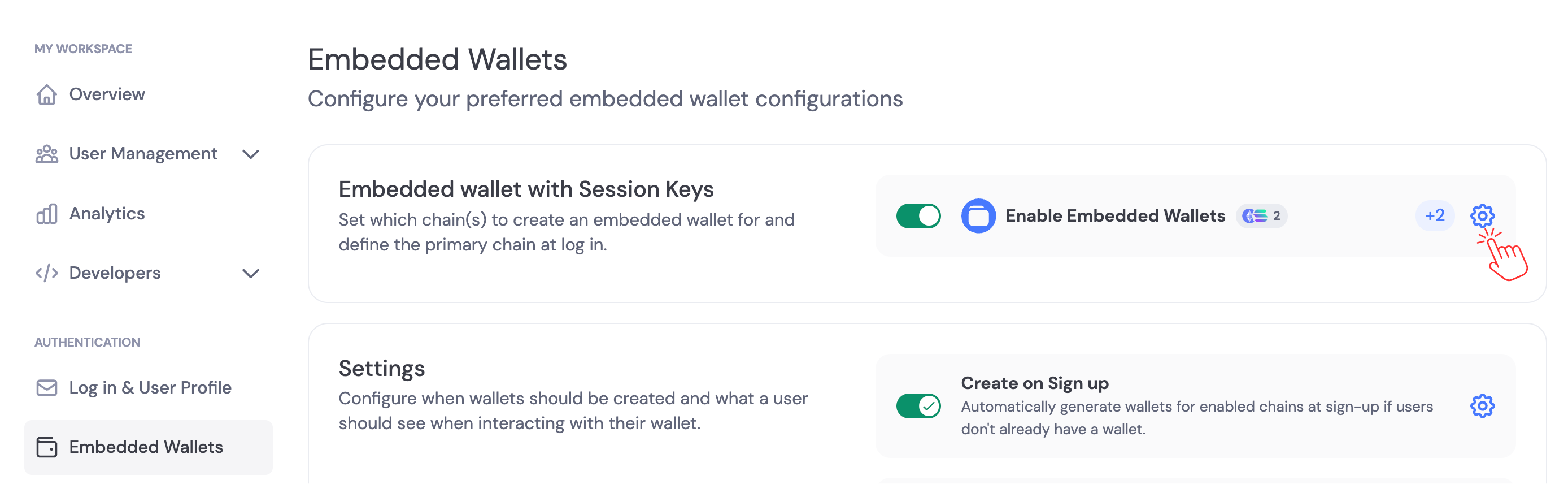
Navigate to the [Dynamic Dashboard > Embedded Wallets](https://app.dynamic.xyz/dashboard/embedded-wallets/dynamic) and enable Embedded Wallets, then click settings and choose the chains you'd like wallets created on.
 ### Private Key Export Settings
By default, users can export their private keys from embedded wallets. You can disable private key exports in the [Embedded Wallets settings](https://app.dynamic.xyz/dashboard/embedded-wallets/dynamic). Navigate to the **Security** section and toggle **Private Key Exports** to control whether users can export their private keys.
### Private Key Export Settings
By default, users can export their private keys from embedded wallets. You can disable private key exports in the [Embedded Wallets settings](https://app.dynamic.xyz/dashboard/embedded-wallets/dynamic). Navigate to the **Security** section and toggle **Private Key Exports** to control whether users can export their private keys.
 Consider disabling private key exports if your use case requires additional security controls. Disabling exports prevents users from exporting keys, which can reduce the risk of key exposure but limits user portability. See [Best Practices - Private Key Export Controls](/overview/security/recommendedpaths#private-key-export-controls) for guidance.
Enable Embedded Wallets in the dashboard, then use the client’s embedded wallets module to create wallets (automatically on signup/sign-in, or manually).
Next:
* [Creating Embedded Wallets](/react-native/wallets/embedded-wallets/mpc/creating-wallets)
* [Embedded Wallet Signing Configuration](/react-native/wallets/embedded-wallets/mpc/transactions)
Consider disabling private key exports if your use case requires additional security controls. Disabling exports prevents users from exporting keys, which can reduce the risk of key exposure but limits user portability. See [Best Practices - Private Key Export Controls](/overview/security/recommendedpaths#private-key-export-controls) for guidance.
Enable Embedded Wallets in the dashboard, then use the client’s embedded wallets module to create wallets (automatically on signup/sign-in, or manually).
Next:
* [Creating Embedded Wallets](/react-native/wallets/embedded-wallets/mpc/creating-wallets)
* [Embedded Wallet Signing Configuration](/react-native/wallets/embedded-wallets/mpc/transactions)