> ## Documentation Index
> Fetch the complete documentation index at: https://docs.dynamic.xyz/docs/llms.txt
> Use this file to discover all available pages before exploring further.
# Coinbase
For new React apps, we recommend the JavaScript SDK with React Hooks (`@dynamic-labs-sdk/react-hooks`) instead of the legacy React SDK documented here. The JS SDK comes with many benefits such as a much smaller bundle size and other optimizations. Use the [React quickstart (JavaScript SDK)](/javascript/reference/react-quickstart) to get started.
This functionality is also only available on version 4.25.0 of the SDK and above.
## Dashboard Setup
Follow these steps to enable exchange funding for Coinbase:
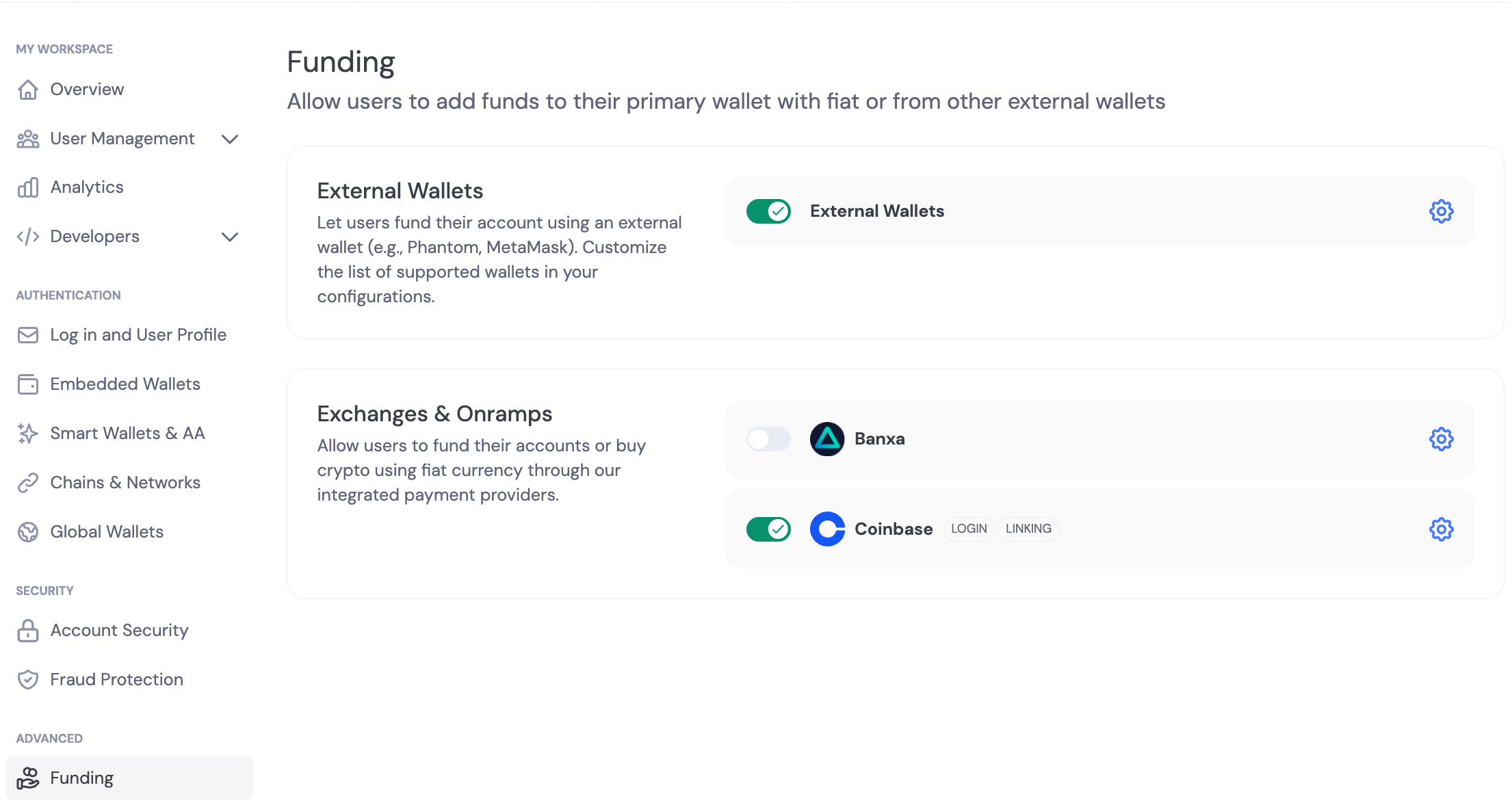
1. Go to the [funding tab](https://app.dynamic.xyz/dashboard/funding)
2. Toggle Coinbase exchange click the gear icon
3. Enable the **Exchange Transfer** toggle for funding directly from exchange
4. Enable [Coinbase Oauth](https://www.dynamic.xyz/docs/social-providers/coinbase)
5. As part of Coinbase OAuth setup, please ensure you add `wallet:transactions:send` and `wallet:transactions:read` in the **Additional Scopes** field.
6. Save the settings. Note that it could take up to 5 minutes for the settings cache to refresh on your site.
 ## SDK Views
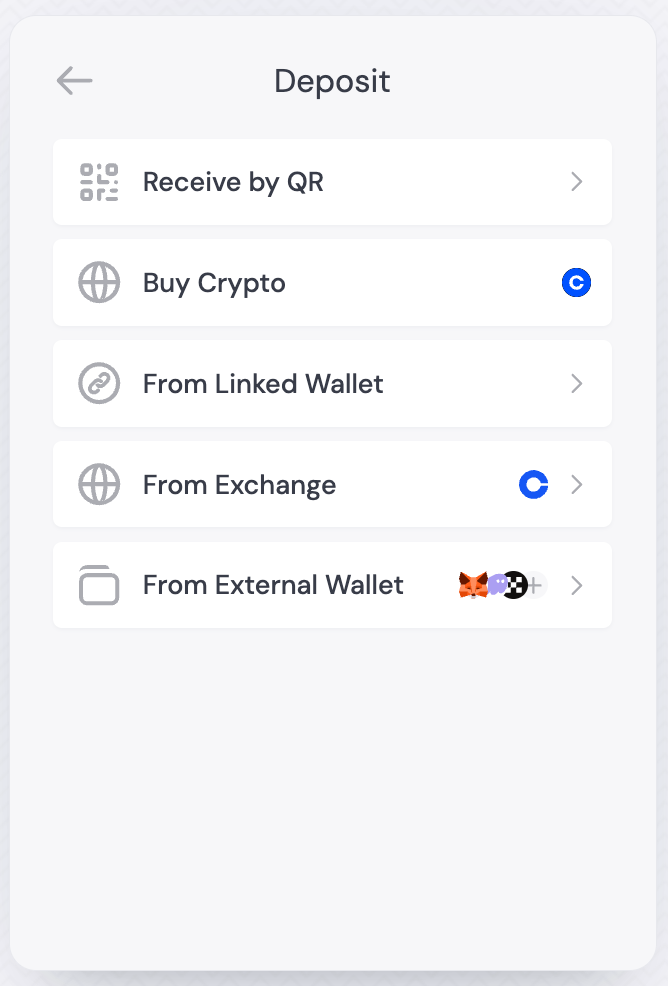
Once enabled in Dashboard and the settings have propagated, your end users would be able to link their Coinbase exchange account to their user profile and initiate the transfer.
1. In the user profile widget, click on **Deposit**
2. Click on **From Exchange**
3. Click on the Coinbase icon and you will be taken immediately to the transfer flow
## SDK Views
Once enabled in Dashboard and the settings have propagated, your end users would be able to link their Coinbase exchange account to their user profile and initiate the transfer.
1. In the user profile widget, click on **Deposit**
2. Click on **From Exchange**
3. Click on the Coinbase icon and you will be taken immediately to the transfer flow