> ## Documentation Index
> Fetch the complete documentation index at: https://docs.dynamic.xyz/docs/llms.txt
> Use this file to discover all available pages before exploring further.
# Account Deletion
For new React apps, we recommend the JavaScript SDK with React Hooks (`@dynamic-labs-sdk/react-hooks`) instead of the legacy React SDK documented here. The JS SDK comes with many benefits such as a much smaller bundle size and other optimizations. Use the [React quickstart (JavaScript SDK)](/javascript/reference/react-quickstart) to get started.
This guide is currently React only.
## Introduction
This guide shows you how to implement account deletion functionality without using Dynamic's UI components. When a user deletes their account, all associated data will be permanently removed, including their wallets, embedded wallets, verified credentials, etc.
Account deletion is permanent and cannot be undone. All associated data will
be irrecoverably deleted.
## Using our UI
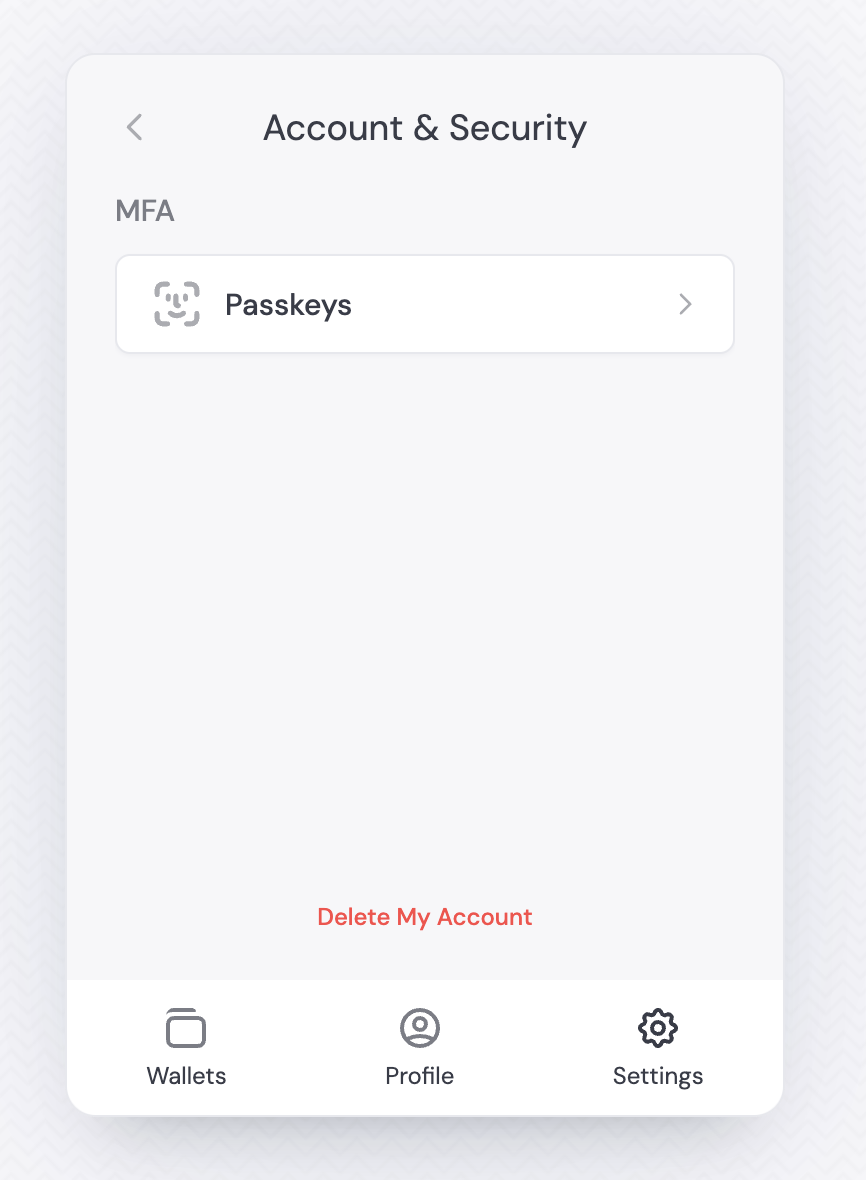
The widget includes account deletion in the Account & Security section. Users can self-serve deletion from there.
Account deletion is permanent and cannot be undone. All associated data will be irrecoverably deleted.
## Using your UI
Use the `useDeleteUserAccount` hook to handle account deletion with loading states and error handling.
```tsx React theme={"system"}
import { FC } from 'react';
import { useDeleteUserAccount } from '@dynamic-labs/sdk-react-core';
const DeleteAccount: FC = () => {
const { deleteUser, error, isLoading } = useDeleteUserAccount();
const handleDeleteAccount = async () => {
try {
await deleteUser();
} catch (err) {
console.error('Failed to delete account:', err);
}
};
return (
{error &&
Error: {error.message}
}
);
};
```
## Best Practices
* Always confirm deletion: include a confirmation step before proceeding.
* Clearly explain what data will be deleted and that the action is permanent.
## Hook Types and Functions
The `useDeleteUserAccount` hook provides:
* `deleteUser`: Function to initiate account deletion
* `isLoading`: Boolean indicating if deletion is in progress
* `error`: Error object if deletion fails