> ## Documentation Index
> Fetch the complete documentation index at: https://docs.dynamic.xyz/docs/llms.txt
> Use this file to discover all available pages before exploring further.
# Collecting Extra Information (Information Capture)
For new React apps, we recommend the JavaScript SDK with React Hooks (`@dynamic-labs-sdk/react-hooks`) instead of the legacy React SDK documented here. The JS SDK comes with many benefits such as a much smaller bundle size and other optimizations. Use the [React quickstart (JavaScript SDK)](/javascript/reference/react-quickstart) to get started.
## General Setup
Enable the fields you want to collect in the Dynamic Dashboard. This configuration applies regardless of whether you use our UI or build your own.
* Go to the Login/User Profile settings in the dashboard
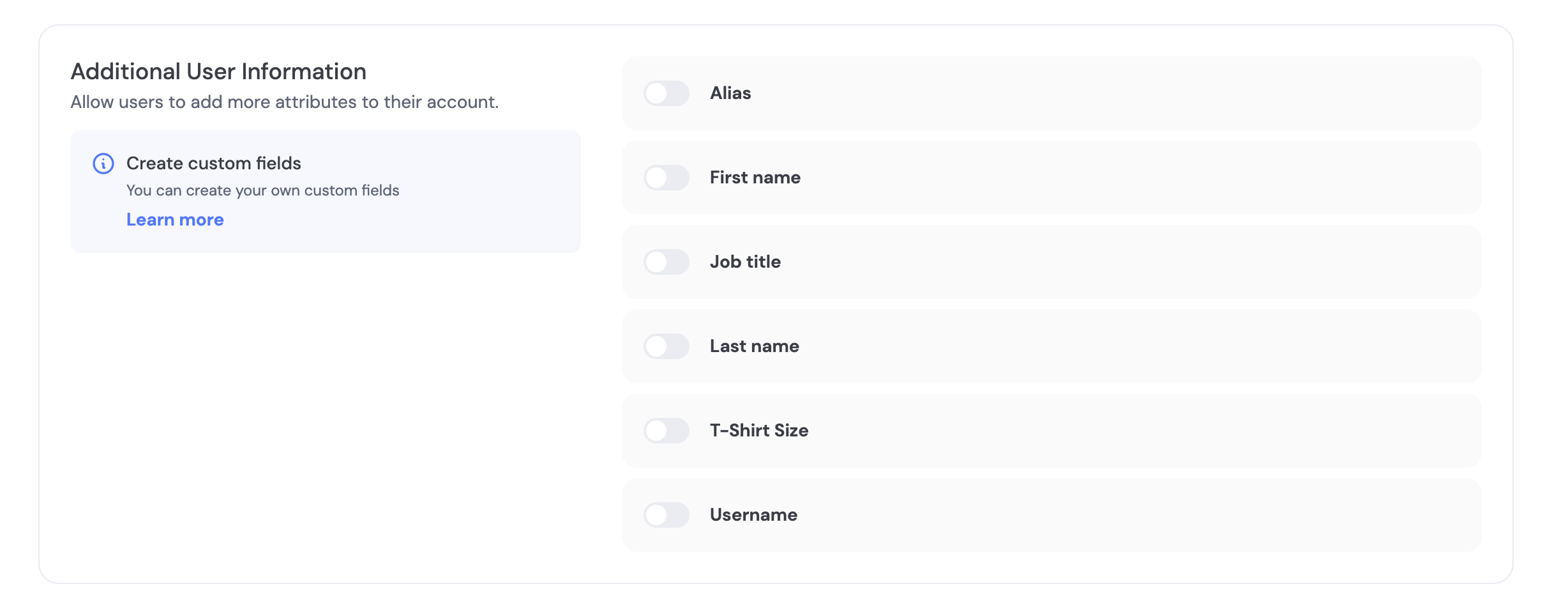
* Scroll to "Additional User Information"
* Choose which fields to collect and whether each is optional or required
You can use pre-made fields (Alias, First Name, Last Name, Job Title, T-Shirt Size, Username) or create your own custom fields. See Custom Information Capture for details.
We have a few fields pre-made for you including Alias, First Name, Last Name, Job Title, T-Shirt Size, and Username.
As an example, the **Username** field is a string that is unique per project with these validations:
1. Letters A-Z, a-z, numbers 0-9, or symbols \$ ! # % ?
2. Length 5 to 20
3. Cannot contain consecutive symbols
The **T-shirt size** field is a dropdown with options (XS, S, M, L, XL, XXL).
You can specify additional custom fields and how you want to validate these fields by creating a new field in the dashboard’s Log in and User Profile section.
## Using our UI
Once enabled in the dashboard, users are automatically prompted to enter required information during signup and can update it later in the profile views.
* Required fields cannot be skipped during onboarding.
* Optional fields can be skipped and completed later.
## Using your UI
Prompt users later to complete information using a prebuilt modal, or update fields programmatically.
```tsx React theme={"system"}
import { useUserUpdateRequest } from '@dynamic-labs/sdk-react-core';
export function PromptMissingInfo() {
const { updateUserWithModal } = useUserUpdateRequest();
// Open a modal to collect fields you enabled in the dashboard
const promptNow = () => updateUserWithModal(['firstName', 'lastName', 'username']);
return ;
}
```
Programmatic update with your own form (email verification handled as needed):
```tsx React theme={"system"}
import { useUserUpdateRequest, useOtpVerificationRequest } from '@dynamic-labs/sdk-react-core';
export function UpdateProfileForm() {
const { updateUser } = useUserUpdateRequest();
const { verifyOtp } = useOtpVerificationRequest();
const onSubmit = async (e) => {
e.preventDefault();
const firstName = e.currentTarget.firstName.value;
const email = e.currentTarget.email.value;
const { isEmailVerificationRequired, verifyOtp: scopedVerifyOtp } = await updateUser({ firstName, email });
if (isEmailVerificationRequired) {
const token = window.prompt('Enter the 6-digit code sent to your email');
// Prefer scopedVerifyOtp if returned, else fall back to hook
await (scopedVerifyOtp ? scopedVerifyOtp(token!) : verifyOtp(token!));
}
};
return (
);
}
```
## Pre-signup (server-driven)
Create a user first and attach information, then let them sign up later to bind a verified credential.
* Create user
```bash theme={"system"}
curl -X POST https://app.dynamicauth.com/api/v0/environments/{environmentId}/users \
-H "Authorization: Bearer $DYNAMIC_API_KEY" \
-H "Content-Type: application/json" \
-d '{"email": "test@example.com", "username": "testuser"}'
```
* Update user when more data is available
```bash theme={"system"}
curl -X PUT https://app.dynamicauth.com/api/v0/environments/{environmentId}/users/USER_ID_HERE \
-H "Authorization: Bearer $DYNAMIC_API_KEY" \
-H "Content-Type: application/json" \
-d '{"firstName": "My", "lastName": "Name"}'
```
When the user signs up with the same identifier (e.g., email), the record will gain a verified credential and the captured info will appear in their profile.
## Post-signup prompts
* Required fields are enforced during onboarding.
* To collect optional fields later, trigger an update flow using your UI (see Tabs above). In React, `updateUserWithModal` provides a built-in UI.
## FAQ
* What happens to existing users if I change required fields?
* The next time a user authenticates, they’ll be asked to provide any newly-required fields so profiles stay up to date.
 You can use pre-made fields (Alias, First Name, Last Name, Job Title, T-Shirt Size, Username) or create your own custom fields. See Custom Information Capture for details.