> ## Documentation Index
> Fetch the complete documentation index at: https://docs.dynamic.xyz/docs/llms.txt
> Use this file to discover all available pages before exploring further.
# Personal Subdomains
For new React apps, we recommend the JavaScript SDK with React Hooks (`@dynamic-labs-sdk/react-hooks`) instead of the legacy React SDK documented here. The JS SDK comes with many benefits such as a much smaller bundle size and other optimizations. Use the [React quickstart (JavaScript SDK)](/javascript/reference/react-quickstart) to get started.
Global Identity is only available for EVM
[embedded wallets](/overview/wallets/embedded-wallets/mpc/overview)
on [V4](/react/reference/upgrade/v4) of the Dynamic SDK.
## Overview
Global Identity allows your users to select personal subdomains for their wallets,
tied to one main domain name. These subdomains function as unique identifiers associated with that
user's wallet address.
A user's subdomain will look like this: `custom-subdomain.main-domain.eth`
## Configuration
To enable personalized subdomains, you must first set up your main domain name in the
[Embedded Wallets](https://app.dynamic.xyz/dashboard/embedded-wallets/dynamic) section of the Dynamic Dashboard.
1. Enable the "Personalized Subdomains" toggle and open the drawer.
2. Use the pre-populated ENS domain name associated with your primary wallet or manually enter one.
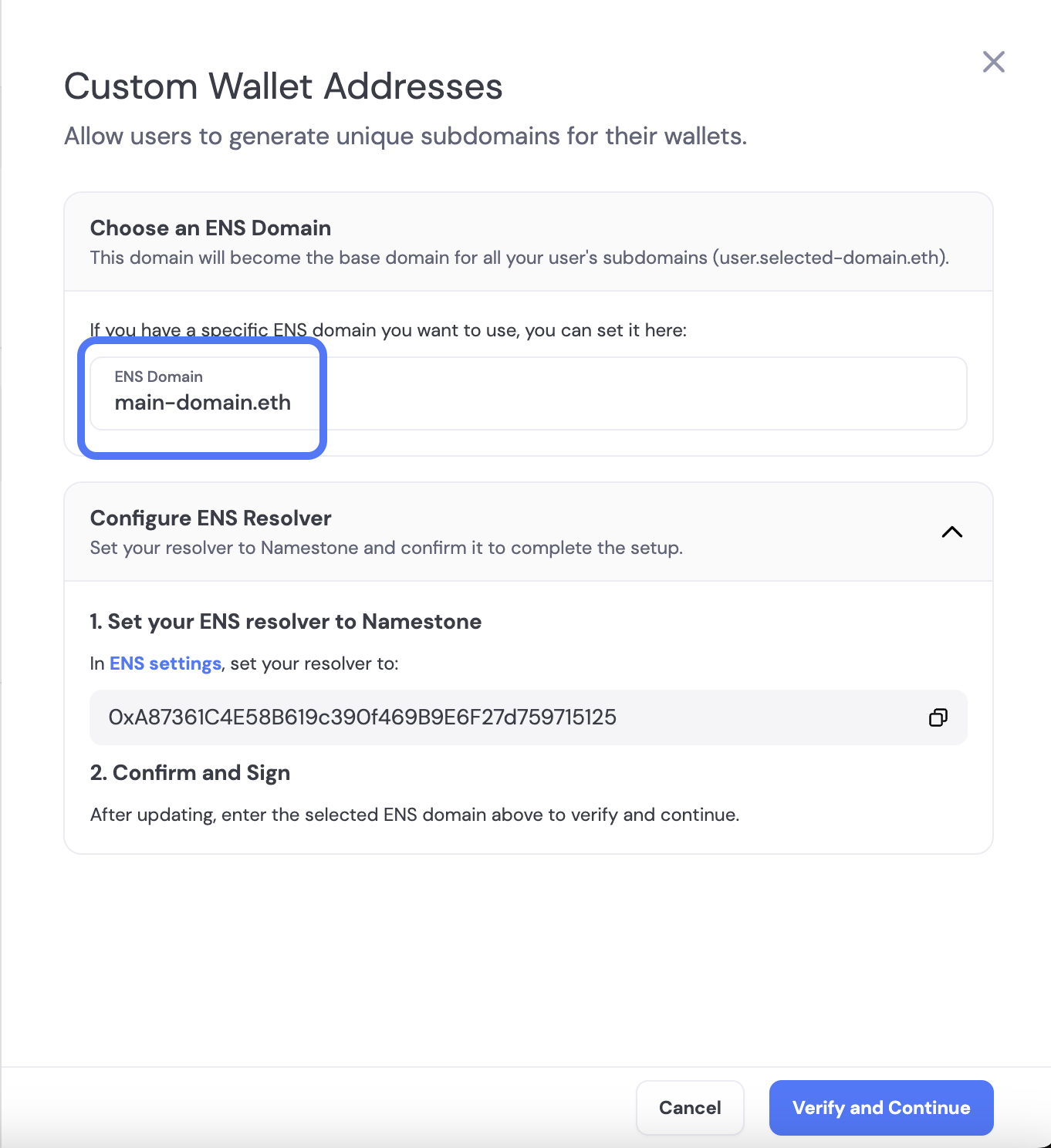 3. Click "Verify and Continue" and sign the message from Namestone to verify your domain. Make sure that
your primary wallet (in the top right corner of the dashboard) is the wallet associated with your domain.
3. Click "Verify and Continue" and sign the message from Namestone to verify your domain. Make sure that
your primary wallet (in the top right corner of the dashboard) is the wallet associated with your domain.
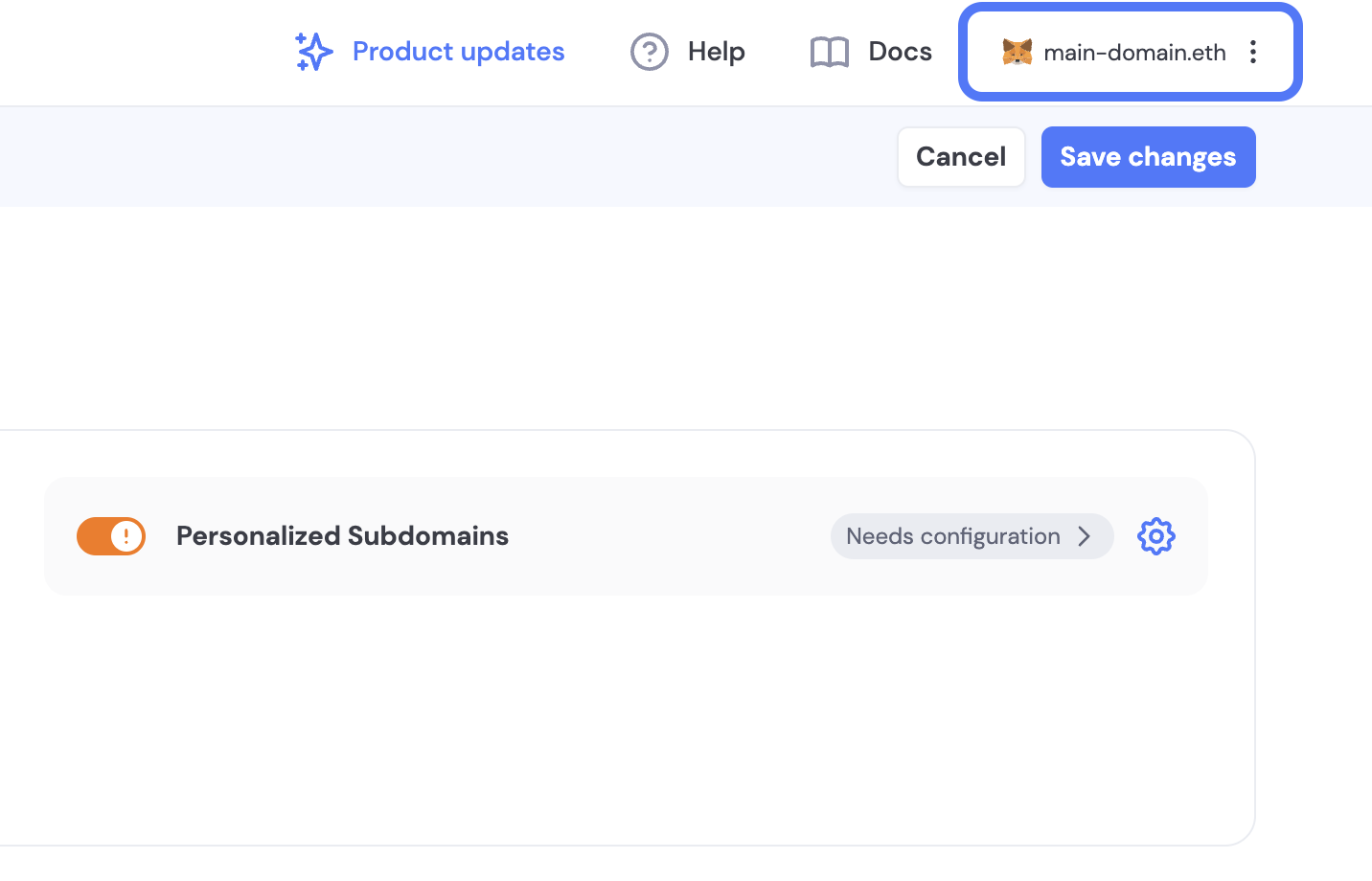 4. Once your domain is verified, you can close the drawer and click "Save" to enable personalized subdomains.
### Require Subdomains
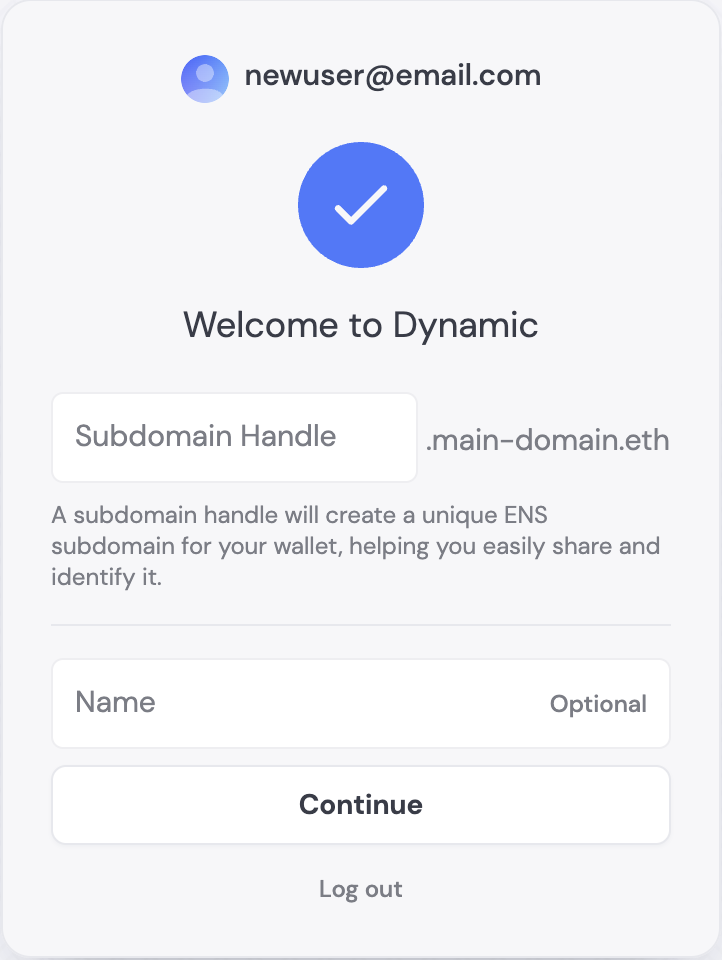
The require subdomains toggle will ask your users to choose a subdomain when they sign up or register with a new wallet.
4. Once your domain is verified, you can close the drawer and click "Save" to enable personalized subdomains.
### Require Subdomains
The require subdomains toggle will ask your users to choose a subdomain when they sign up or register with a new wallet.
 ## Choosing subdomains
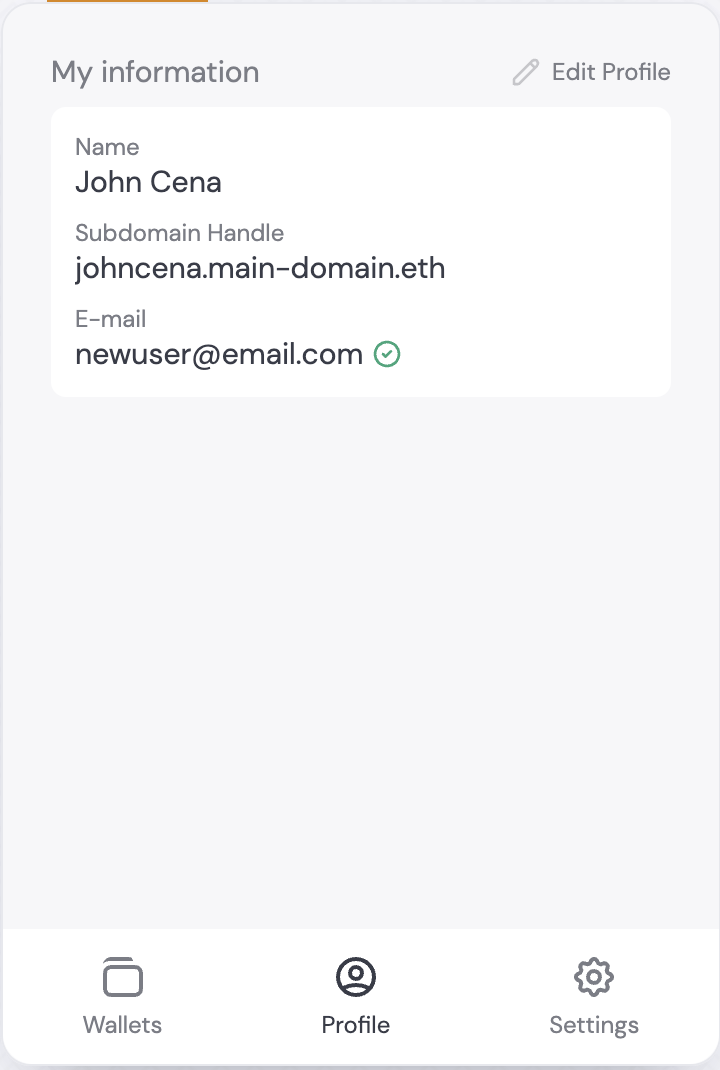
Users can view and change their subdomain in the Profile section of the DynamicWidget:
## Choosing subdomains
Users can view and change their subdomain in the Profile section of the DynamicWidget: