> ## Documentation Index
> Fetch the complete documentation index at: https://docs.dynamic.xyz/docs/llms.txt
> Use this file to discover all available pages before exploring further.
# Coinbase Smart Wallet
For new React apps, we recommend the JavaScript SDK with React Hooks (`@dynamic-labs-sdk/react-hooks`) instead of the legacy React SDK documented here. The JS SDK comes with many benefits such as a much smaller bundle size and other optimizations. Use the [React quickstart (JavaScript SDK)](/javascript/reference/react-quickstart) to get started.
This guide is currently React only.
### Introduction
Coinbase Smart Wallets lets your users easily onboard and create wallet accounts without the need for a browser extension or mobile app. You can see a walkthrough of the feature and use with Dynamic below:
You can see the Coinbase Smart wallet in action in our demo environment by clicking on Coinbase.
### Integration Steps
#### Initial Setup
To set up Coinbase Smart Wallet, simply upgrade to our latest SDK (v2.2+), ensure [you have wallet login set up](/react/authentication-methods/external-wallets), and [a network compatible with Coinbase Smart Wallet enabled](/react/chains/enabling-chains#enabling-a-chain-network), then we'll do the rest!
* Base
* Arbitrum
* Optimism
* Zora
* Polygon
* BNB
* Avalanche
* ETH mainnet (not preferred for use, due to gas cost)
#### Recommend Coinbase Smart Wallet
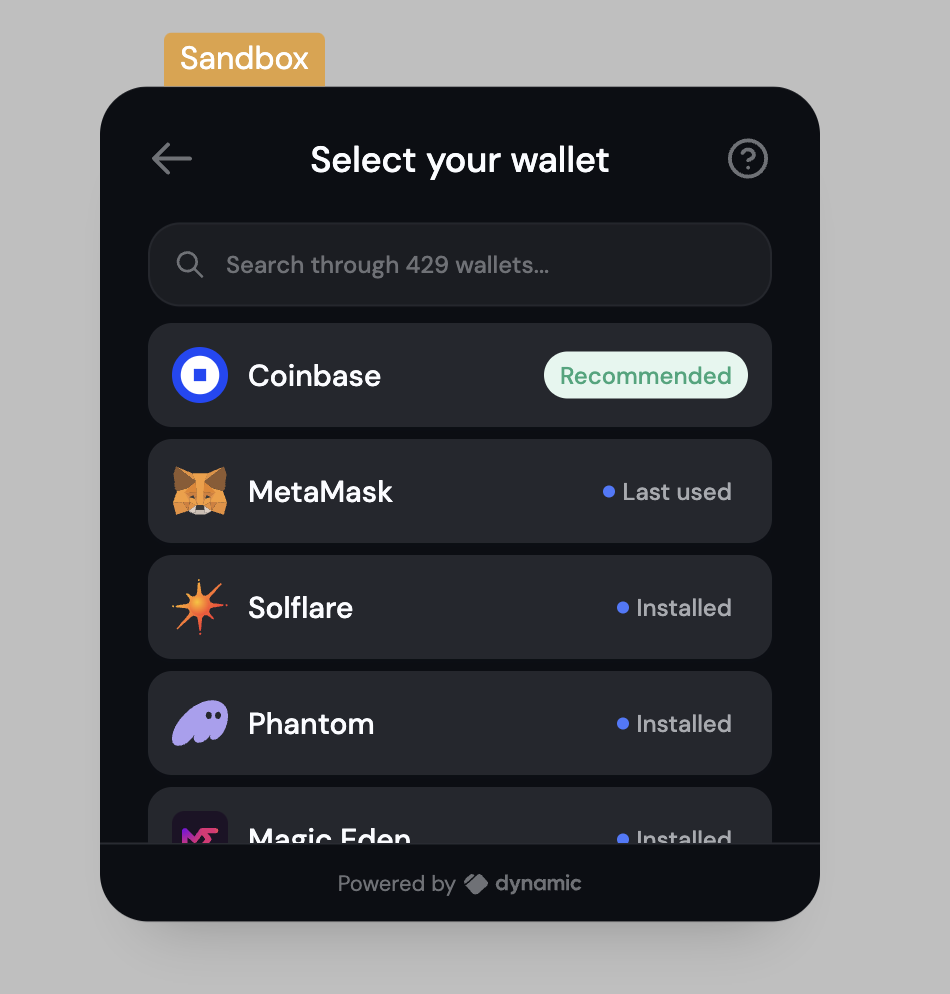
Dynamic gives you the ability to [recommend wallets](/react/wallets/external-wallets/recommend-wallets) by making them stick to the top of the wallet list, whether or not they are installed.
You can easily recommend Coinbase Smart Wallet by adding the following to your DynamicContext settings:
```Typescript theme={"system"}
```
#### Coinbase SW + New To Web3
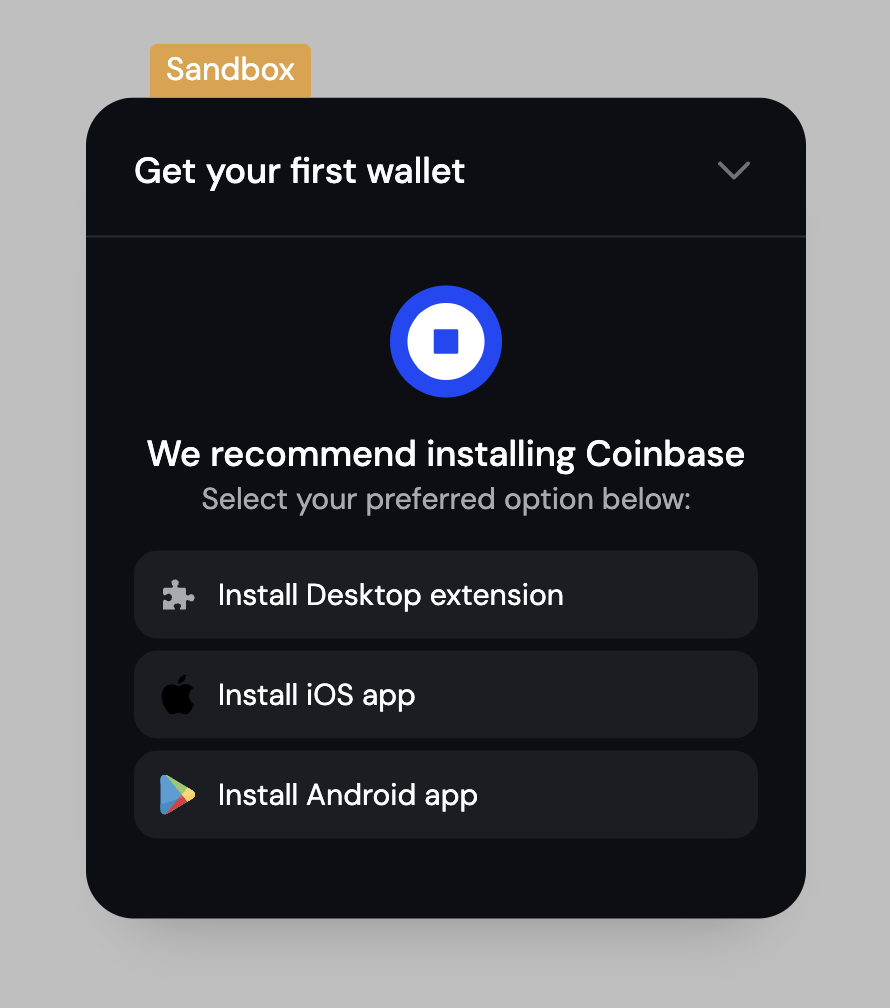
The Dynamic provided UI components include a [New to Web3 help section](/react/wallets/external-wallets/recommend-wallets#new-to-web3-section) as part of the DynamicWidget, where we show a common wallet for users to get started for each chain.
You can easily recommend Coinbase Smart Wallet by adding the following to your DynamicContext settings:
```Typescript theme={"system"}
```
### How it works
### Overview
Each wallet is created as a smart contract wallet (ERC-4337), and is secured by a user added Passkey, which is tied to the domain "keys.coinbase.com".
Because the passkey is scoped to Coinbase's domain, the wallets will work securely across any site that integrates with Coinbase Smart Wallet.
This is a huge unlock for the ecosystem, as it allows users to have a seamless experience across multiple sites, without any extra lift.
Since the wallet is actually an ERC-4337 compliant smart contract, you can also make use of batch transactions and app-defined paymasters which are supported by the Coinbase Smart Wallet.
Lastly, the wallet is integrated with [Magic Spend](https://www.smartwallet.dev/why#magic-spend) by default, allowing for seamless onramping of funds into the newly created wallet.
### Signing
The user signs with their passkey, and a function named `isValidSignature` is subsequently called on their Smart Wallet in order to verify that signature ([based on EIP-1271](https://eips.ethereum.org/EIPS/eip-1271)).
Since the user's passkey is an owner on the Smart Wallet's contract, it would return that the signature is valid and the transaction can be processed from there. However, what happens if the smart account has not yet been deployed?
A Smart Wallet is not deployed on a chain until the first transaction on that chain, so there must be a method of handling the signing of an initial transaction offchain. This is done by adopting the solutions outlined in [EIP-6492](https://eips.ethereum.org/EIPS/eip-6492).
### What's Next
We're excited to support the move of Coinbase Smart Wallet to mainnet in the coming weeks. With incredible features such as [Magic Spend](https://www.smartwallet.dev/guides/magic-spend) and [Batch Transactions](https://www.smartwallet.dev/guides/batch-transactions), we see a future of even simpler new user onboarding. Learn more in our deeper blog post on [Coinbase Smart Wallet](https://www.dynamic.xyz/blog/test-drive-coinbases-smart-wallet-today).
### Get up to \$20k in paymaster credits
Utilizing Coinbase Smart Wallets or AA accounts on @base with Dynamic?
We teamed up with @coinbasewallet to kick it up a notch 💙
You may be eligible for up to \$20K in gas credits: \$15K from the Smart Wallet Gas Program + \$5K just for being a Dynamic customer.
Fill out this form to indicate that you are building with Dynamic and get credits: [apply now](https://docs.google.com/forms/d/1yPnBFW0bVUNLUN_w3ctCqYM9sjdIQO3Typ53KXlsS5g/viewform?edit_requested=true)
 #### Coinbase SW + New To Web3
The Dynamic provided UI components include a [New to Web3 help section](/react/wallets/external-wallets/recommend-wallets#new-to-web3-section) as part of the DynamicWidget, where we show a common wallet for users to get started for each chain.
You can easily recommend Coinbase Smart Wallet by adding the following to your DynamicContext settings:
```Typescript theme={"system"}
#### Coinbase SW + New To Web3
The Dynamic provided UI components include a [New to Web3 help section](/react/wallets/external-wallets/recommend-wallets#new-to-web3-section) as part of the DynamicWidget, where we show a common wallet for users to get started for each chain.
You can easily recommend Coinbase Smart Wallet by adding the following to your DynamicContext settings:
```Typescript theme={"system"}
 ### How it works
### Overview
Each wallet is created as a smart contract wallet (ERC-4337), and is secured by a user added Passkey, which is tied to the domain "keys.coinbase.com".
Because the passkey is scoped to Coinbase's domain, the wallets will work securely across any site that integrates with Coinbase Smart Wallet.
This is a huge unlock for the ecosystem, as it allows users to have a seamless experience across multiple sites, without any extra lift.
Since the wallet is actually an ERC-4337 compliant smart contract, you can also make use of batch transactions and app-defined paymasters which are supported by the Coinbase Smart Wallet.
Lastly, the wallet is integrated with [Magic Spend](https://www.smartwallet.dev/why#magic-spend) by default, allowing for seamless onramping of funds into the newly created wallet.
### Signing
The user signs with their passkey, and a function named `isValidSignature` is subsequently called on their Smart Wallet in order to verify that signature ([based on EIP-1271](https://eips.ethereum.org/EIPS/eip-1271)).
Since the user's passkey is an owner on the Smart Wallet's contract, it would return that the signature is valid and the transaction can be processed from there. However, what happens if the smart account has not yet been deployed?
A Smart Wallet is not deployed on a chain until the first transaction on that chain, so there must be a method of handling the signing of an initial transaction offchain. This is done by adopting the solutions outlined in [EIP-6492](https://eips.ethereum.org/EIPS/eip-6492).
### What's Next
We're excited to support the move of Coinbase Smart Wallet to mainnet in the coming weeks. With incredible features such as [Magic Spend](https://www.smartwallet.dev/guides/magic-spend) and [Batch Transactions](https://www.smartwallet.dev/guides/batch-transactions), we see a future of even simpler new user onboarding. Learn more in our deeper blog post on [Coinbase Smart Wallet](https://www.dynamic.xyz/blog/test-drive-coinbases-smart-wallet-today).
### Get up to \$20k in paymaster credits
Utilizing Coinbase Smart Wallets or AA accounts on @base with Dynamic?
We teamed up with @coinbasewallet to kick it up a notch 💙
You may be eligible for up to \$20K in gas credits: \$15K from the Smart Wallet Gas Program + \$5K just for being a Dynamic customer.
Fill out this form to indicate that you are building with Dynamic and get credits: [apply now](https://docs.google.com/forms/d/1yPnBFW0bVUNLUN_w3ctCqYM9sjdIQO3Typ53KXlsS5g/viewform?edit_requested=true)
### How it works
### Overview
Each wallet is created as a smart contract wallet (ERC-4337), and is secured by a user added Passkey, which is tied to the domain "keys.coinbase.com".
Because the passkey is scoped to Coinbase's domain, the wallets will work securely across any site that integrates with Coinbase Smart Wallet.
This is a huge unlock for the ecosystem, as it allows users to have a seamless experience across multiple sites, without any extra lift.
Since the wallet is actually an ERC-4337 compliant smart contract, you can also make use of batch transactions and app-defined paymasters which are supported by the Coinbase Smart Wallet.
Lastly, the wallet is integrated with [Magic Spend](https://www.smartwallet.dev/why#magic-spend) by default, allowing for seamless onramping of funds into the newly created wallet.
### Signing
The user signs with their passkey, and a function named `isValidSignature` is subsequently called on their Smart Wallet in order to verify that signature ([based on EIP-1271](https://eips.ethereum.org/EIPS/eip-1271)).
Since the user's passkey is an owner on the Smart Wallet's contract, it would return that the signature is valid and the transaction can be processed from there. However, what happens if the smart account has not yet been deployed?
A Smart Wallet is not deployed on a chain until the first transaction on that chain, so there must be a method of handling the signing of an initial transaction offchain. This is done by adopting the solutions outlined in [EIP-6492](https://eips.ethereum.org/EIPS/eip-6492).
### What's Next
We're excited to support the move of Coinbase Smart Wallet to mainnet in the coming weeks. With incredible features such as [Magic Spend](https://www.smartwallet.dev/guides/magic-spend) and [Batch Transactions](https://www.smartwallet.dev/guides/batch-transactions), we see a future of even simpler new user onboarding. Learn more in our deeper blog post on [Coinbase Smart Wallet](https://www.dynamic.xyz/blog/test-drive-coinbases-smart-wallet-today).
### Get up to \$20k in paymaster credits
Utilizing Coinbase Smart Wallets or AA accounts on @base with Dynamic?
We teamed up with @coinbasewallet to kick it up a notch 💙
You may be eligible for up to \$20K in gas credits: \$15K from the Smart Wallet Gas Program + \$5K just for being a Dynamic customer.
Fill out this form to indicate that you are building with Dynamic and get credits: [apply now](https://docs.google.com/forms/d/1yPnBFW0bVUNLUN_w3ctCqYM9sjdIQO3Typ53KXlsS5g/viewform?edit_requested=true)