

Recommended: JavaScript SDK with React Hooks
For new React apps, we recommend the JavaScript SDK with React Hooks (
@dynamic-labs-sdk/react-hooks) instead of the legacy React SDK documented here. The JS SDK comes with many benefits such as a much smaller bundle size and other optimizations. Use the React quickstart (JavaScript SDK) to get started.This guide is for Using Your UI, as Dynamic UI components already display the wallets for you.
Wallet keys (when you need them)
Some flows require a stable identifier for a wallet option/provider (for example passing a key into a “connect/link this wallet” call, or rendering a wallet icon). Depending on your SDK, you can get these keys in a few ways:1) From wallet options/providers returned by the SDK
UseuseWalletOptions and read walletOptions[].key.
Using the JavaScript SDK? Use
getAvailableWalletProvidersData() and read providers[].key. See Getting Available Wallets to Connect for more details.2) From Wallet Book (for keys + metadata/icons)
The full wallet list is available fromhttps://dynamic-static-assets.com/wallet-book/v1/latest/wallet-book.json.
Each entry in wallets is keyed by the wallet key and includes its name and branding metadata (useful when rendering icons):
3) From the developer console chain pages
Each chain page in the developer console lists supported wallets and their keys (for example EVM or Solana).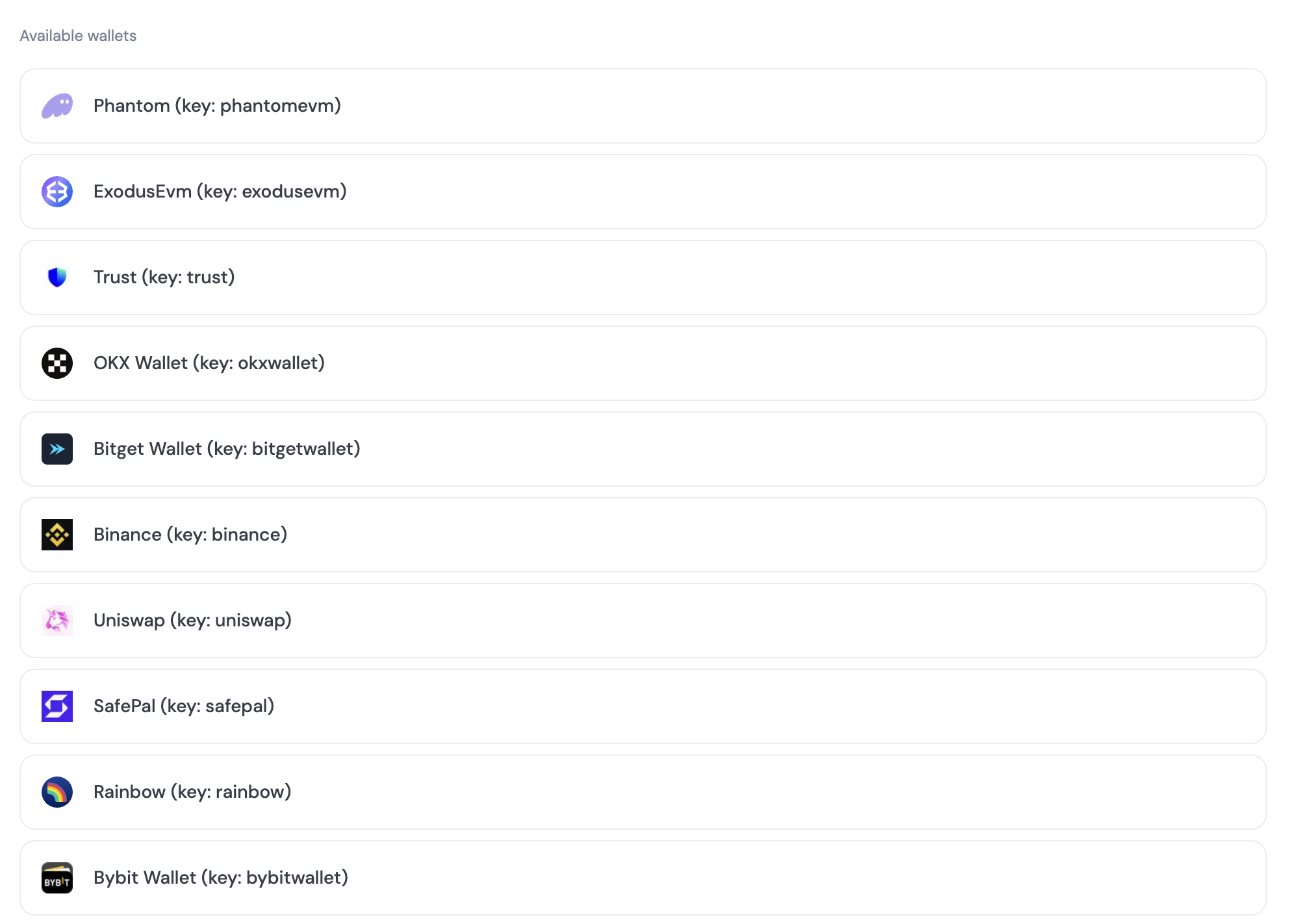
walletOptions prop returned by the useWalletOptions hook.
Use the @dynamic-labs/wallet-book library to display a wallet icon using the exported WalletIcon component. This component takes a walletKey prop, which is the key of the wallet you want to display.
React
Using the JavaScript SDK? See Getting Available Wallets to Connect and Connecting and Verifying a Wallet for the equivalent guides.