Creating a new App
Here are the step-by-step instructions for obtaining OAuth credentials for Shopify:
- Install the Headless app on your existing Shopify store
- On the next page, click on
Create storefront
- Click on
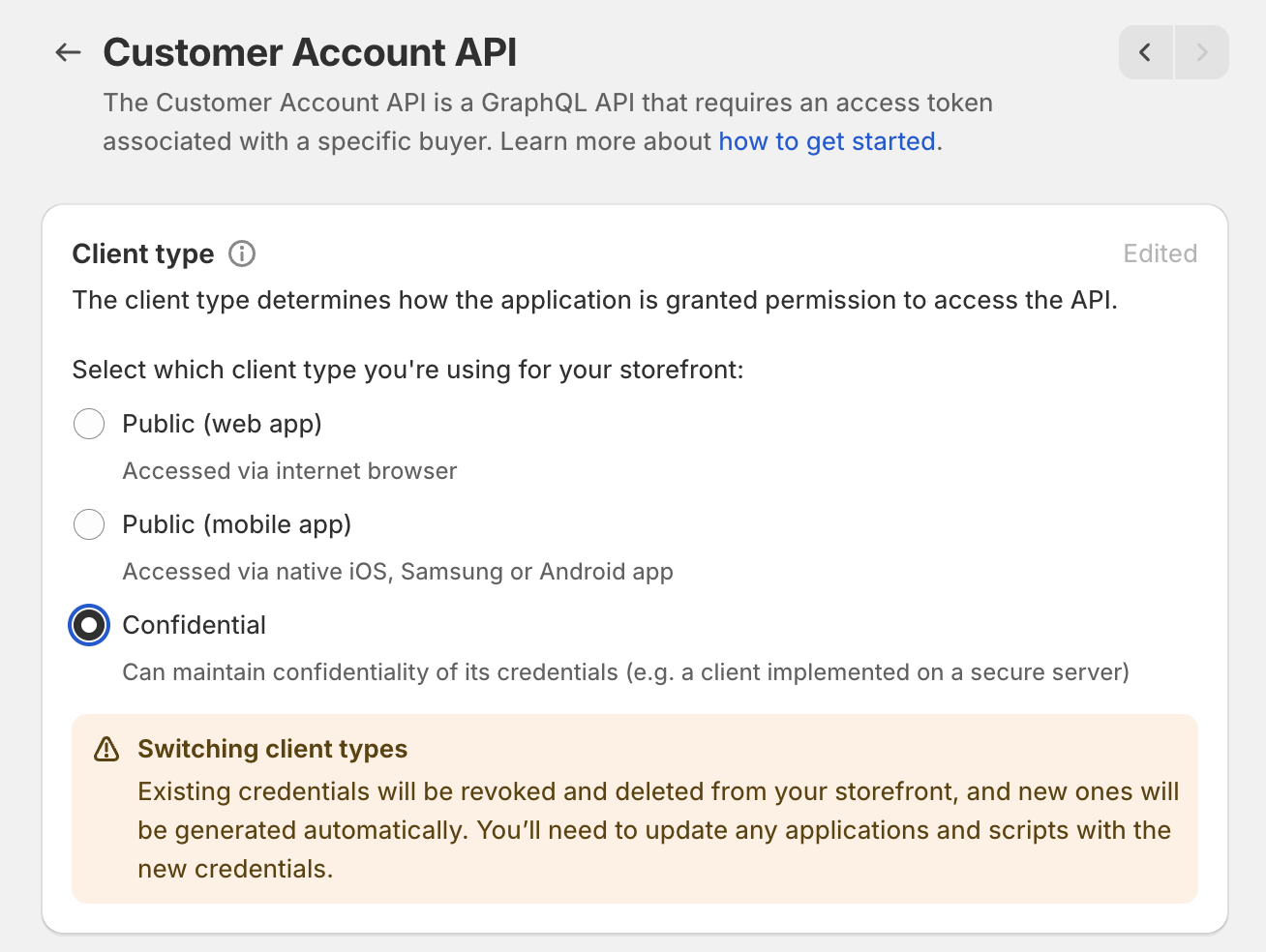
Manage next to Customer Account API
- Select
Confidential under Client Type and click Save
- Under
Application setup paste your “Redirect URL” (Redirect URL can be found in the Dynamic Console)
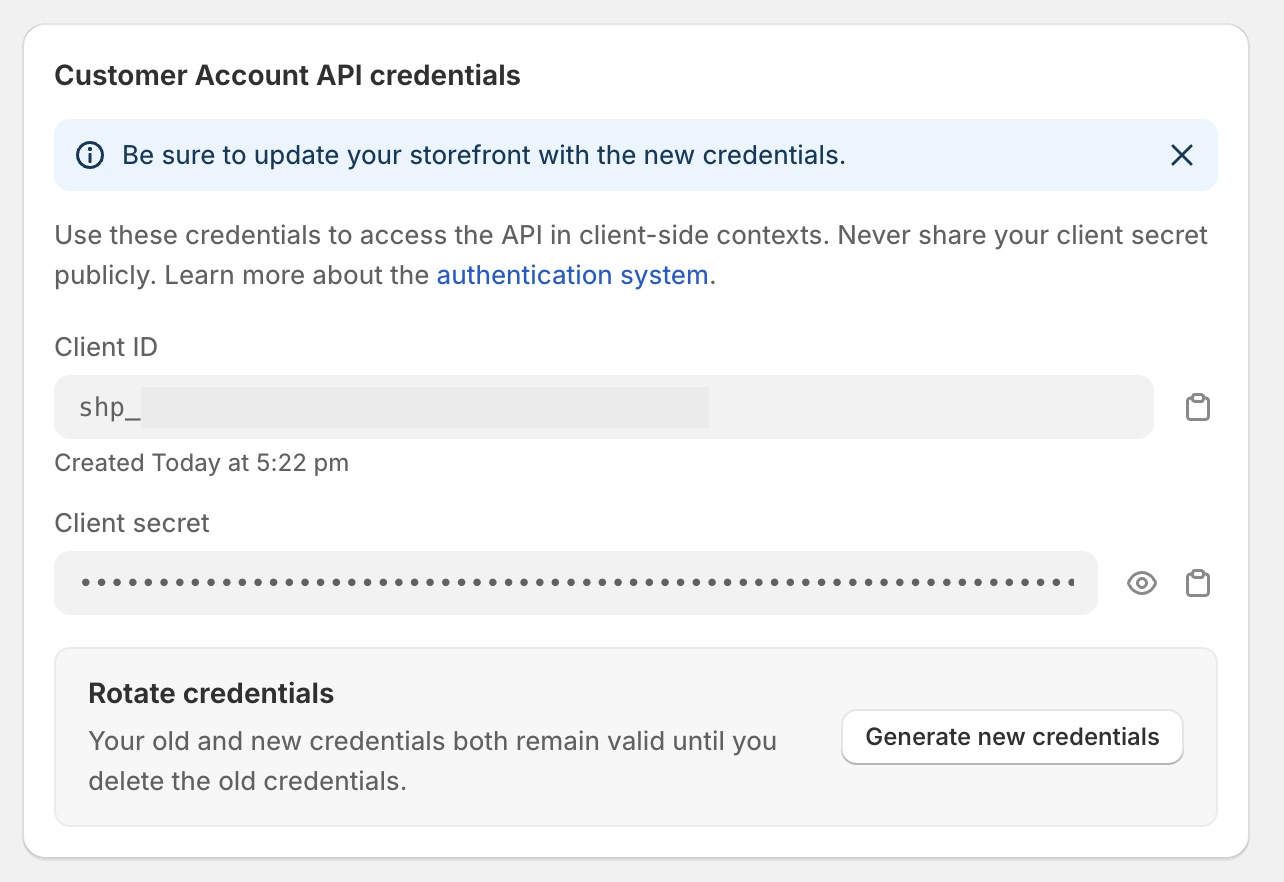
- Copy and paste the
Client ID and Client Secret from Customer Account API credentials and paste it into “Set up Shopify Auth” Modal in the Dynamic Console.
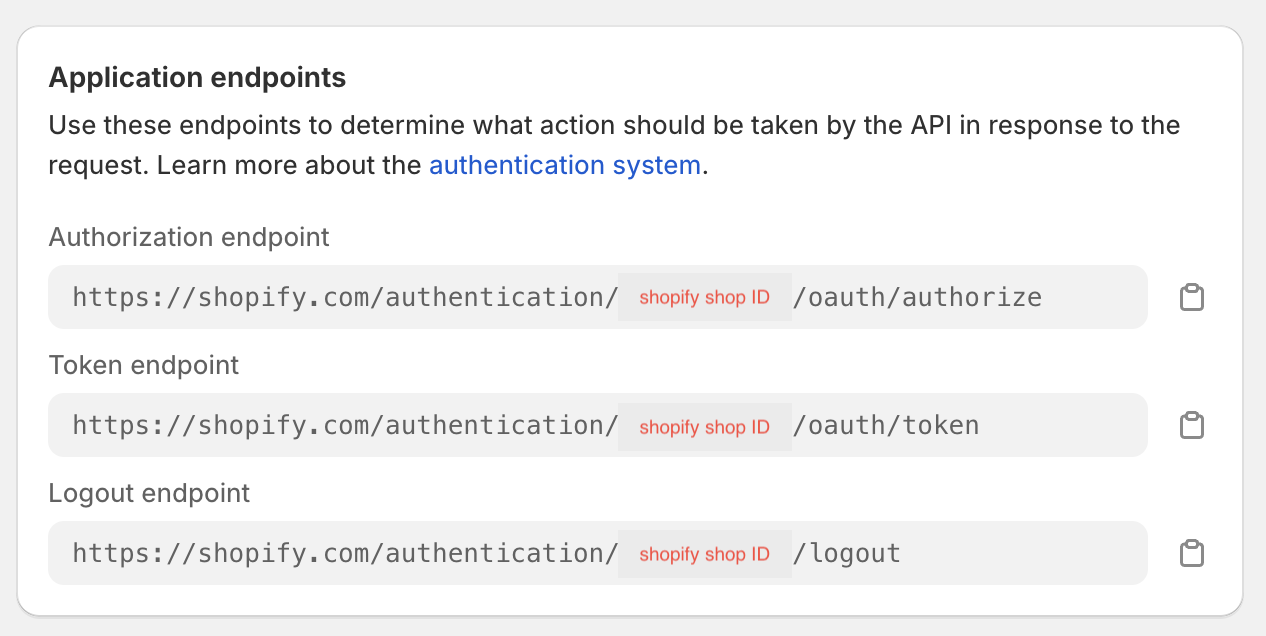
- Find your shopify store ID under
Application Endpoints in the Authorization endpoint URL and paste it into Shopify Store ID in the Dynamic Console.
Last modified on November 17, 2026