Creating a new App
Here are the step-by-step instructions for obtaining OAuth credentials for Shopify:
- Install the Headless app on your existing Shopify store
- On the next page, click on
Create storefront
- Click on
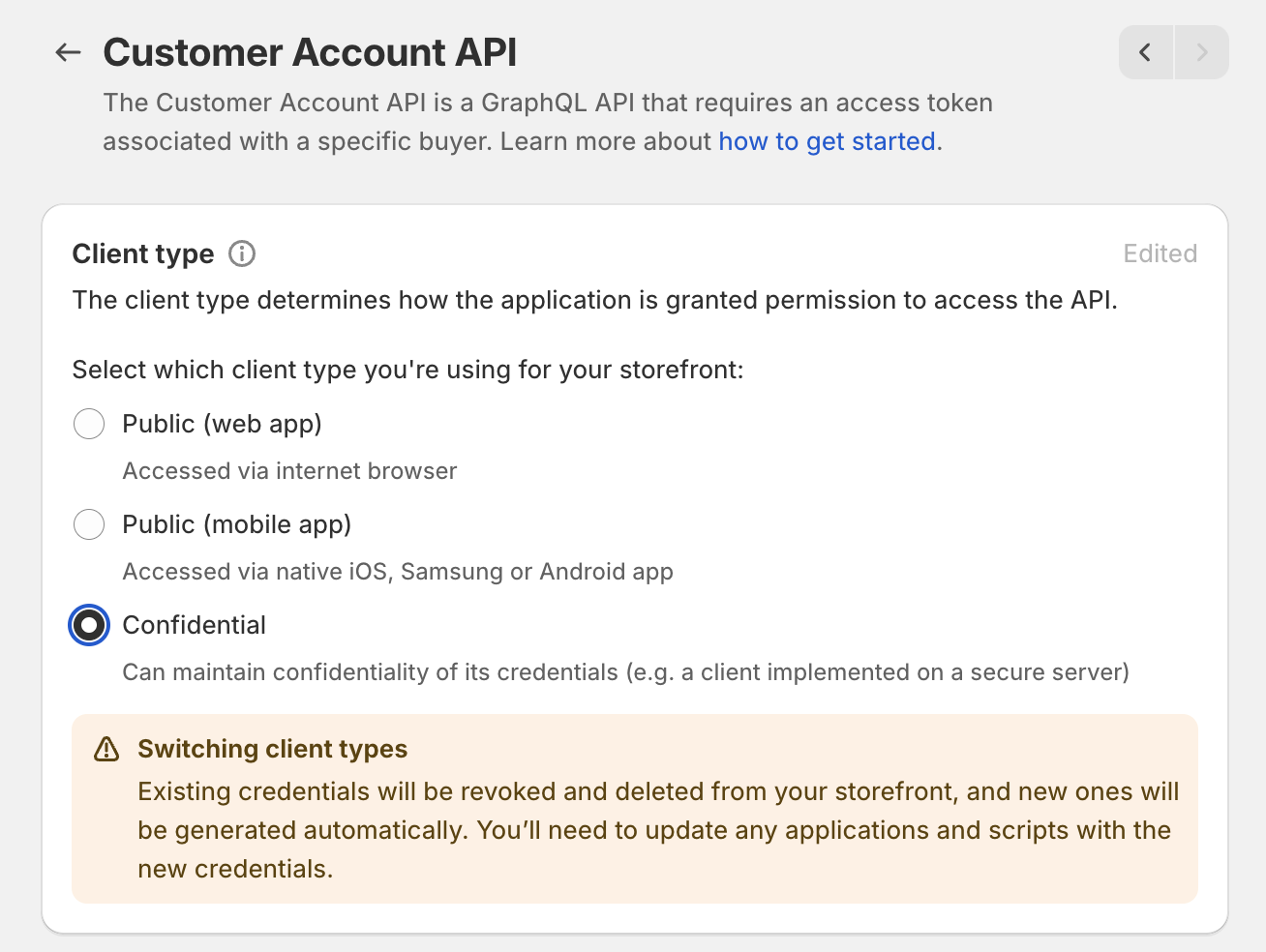
Manage next to Customer Account API
- Select
Confidential under Client Type and click Save
- Under
Application setup paste your “Redirect URL” (Redirect URL can be found in the Dynamic developer console)
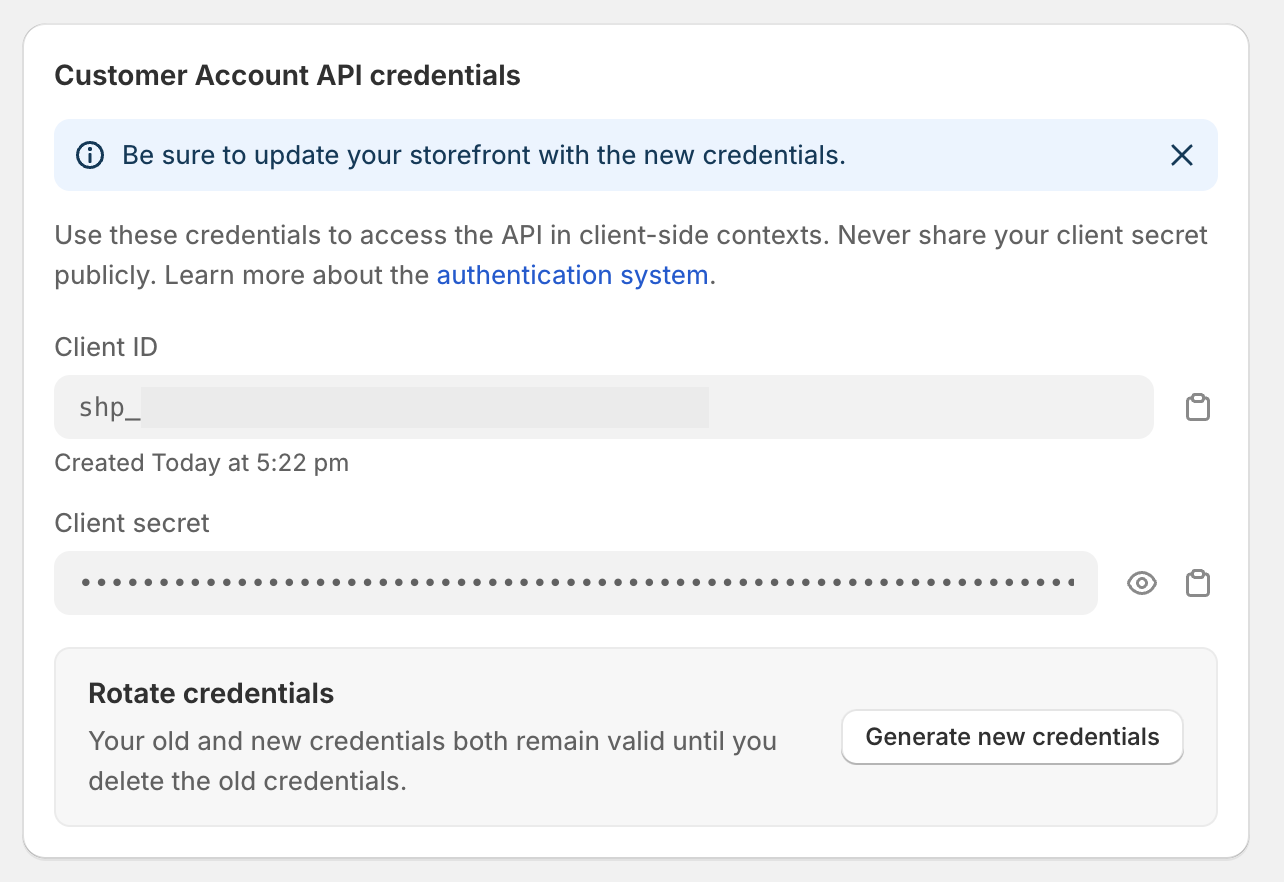
- Copy and past the
Client ID and Client Secret from Customer Account API credentials and paste it into “Set up Shopify Auth” Modal in the Dynamic Developer Console.
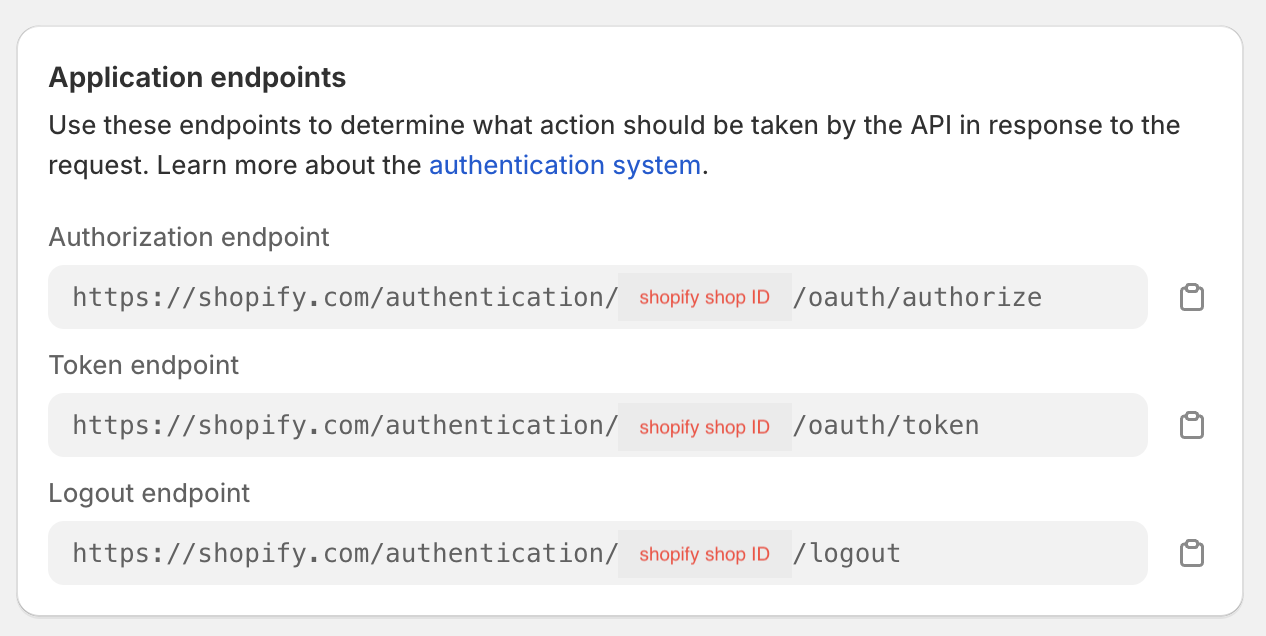
- Find your shopify store ID under
Application Endpoints in the Authorization endpoint URL and paste it into Shopify Store ID in the Dynamic Developer Console.
Last modified on November 2, 2026