

Recommended: JavaScript SDK with React Hooks
For new React apps, we recommend the JavaScript SDK with React Hooks (
@dynamic-labs-sdk/react-hooks) instead of the legacy React SDK documented here. The JS SDK comes with many benefits such as a much smaller bundle size and other optimizations. Use the React quickstart (JavaScript SDK) to get started.What is it?
Views are used to customize the kind of UI that shows up at any point in time in your application.How does it work?
Views are used primarily in the overrides prop of the DynamicContextProvider. You pass in an array of configurations for each view you want to customize, each view has its own set of options.Supported views:
Login View
TheSdkViewType.Login is used to adjust the login/signup UI options programmatically.
When using the login view, you add an object to the views array. This object should have type: SdkViewType.Login and sections which is an array of SdkViewSection objects.
Please read here for a comprehensive guide on using this feature.
Wallet List
Thewallet-list configuration enables you to define tabs with predetermined labels, icons, filters, and recommended wallets, enhancing your application’s wallet selection interface. This feature is particularly useful for grouping wallets.
Configuring Wallet List Tabs
In theDynamicContextProvider setup, the overrides field is used to configure each tab in the wallet list. The configuration options available for each tab allow for detailed customization:
-
Label and Icon: Customize the tab’s appearance with a
labelfor text and aniconfor visual representation. Theiconcan be one of the following options:- A icon from the dynamic iconic package
Example using Dynamic Iconic icons
- A image URL
Example custom image URL
- Or you can bring your own React icon
Example using custom react icon
- A icon from the dynamic iconic package
- Wallets Filter: This option enables to dynamic display of wallets based on the selected tab. Clients have the flexibility to write custom filter functions or utilize predefined ones, for more information read the sort and filter wallets doc
- Recommended Wallets: Specify recommended wallets for each tab by providing wallet option keys and optional labels. This feature is designed to highlight preferred wallets, steering users towards secure and suitable options for their specific needs.
-
Style: An optional field that determines how the tabs are displayed within the wallet list. Currently, the only supported style is
"grid".
Example Configuration
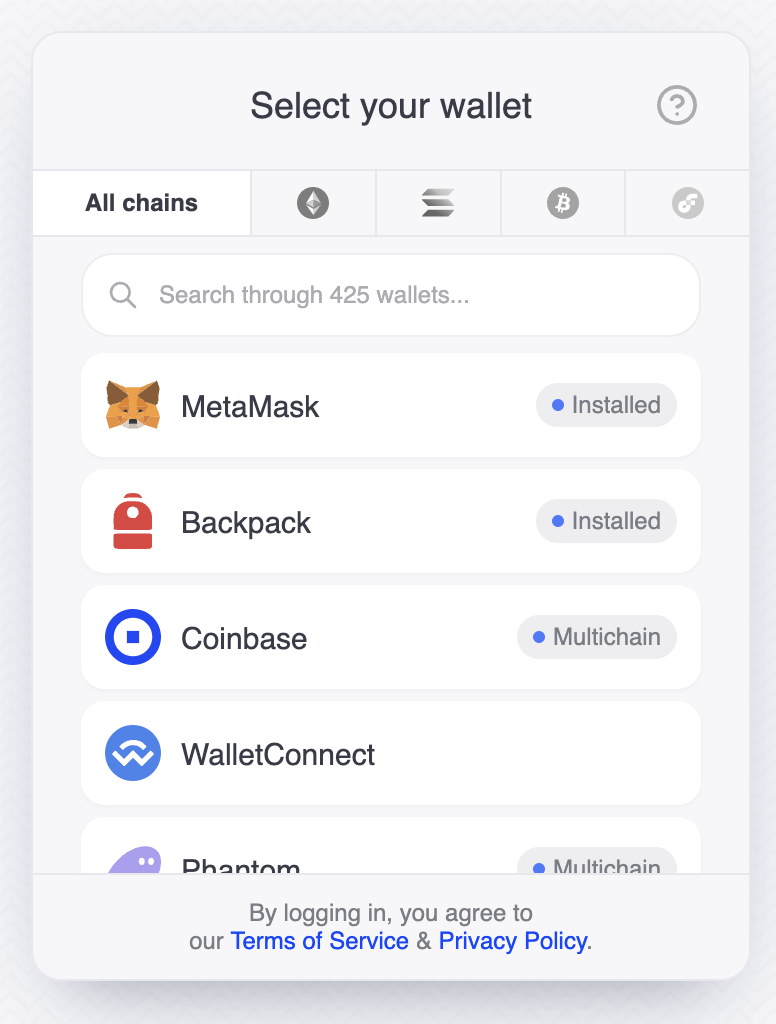
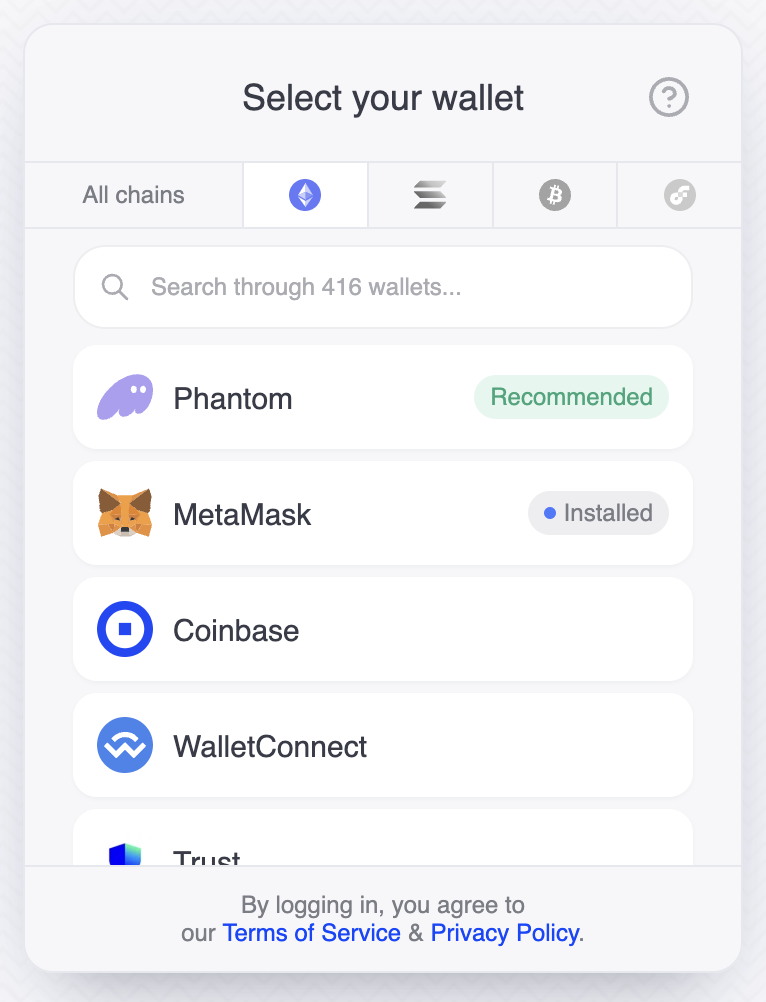
Below is an example showcasing the setup for tabs that categorize wallets by blockchain network, utilizing both custom and predefined filter functions:| All chains tab selected | Ethereum selected |
|---|---|
 |  |
Transaction Confirmation
Thetransaction-confirmation view controls how the SDK generates block explorer links after a transaction is sent from a smart wallet (ERC-4337).
When an Account Abstraction connector (e.g. ZeroDev) sends a transaction, it returns a UserOperation hash rather than a regular transaction hash. Some block explorers support looking up UserOperations at /op/{userOpHash}, while others only support /tx/{hash}.
By default, the SDK uses /op/ links only for explorers known to support it (Blockscout-based explorers). For all other explorers, it falls back to /tx/.
userOpSupportedExplorers
Use this property to add additional block explorer domains that support the /op/{userOpHash} route. These are merged with the built-in list.
string[]
Additional block explorer domains that support the
/op/{userOpHash} route for ERC-4337 UserOperation lookups. Merged with the SDK’s built-in list of supported explorers.Built-in supported explorers
The SDK includes these domains by default:blockscout.com(covers all*.blockscout.comsubdomains)scrollscan.comexplorer.optimism.io
Example
/op/{hash} links for any explorer whose URL contains one of the built-in domains or your additional domains. For all other explorers, it uses the standard /tx/{hash} path.