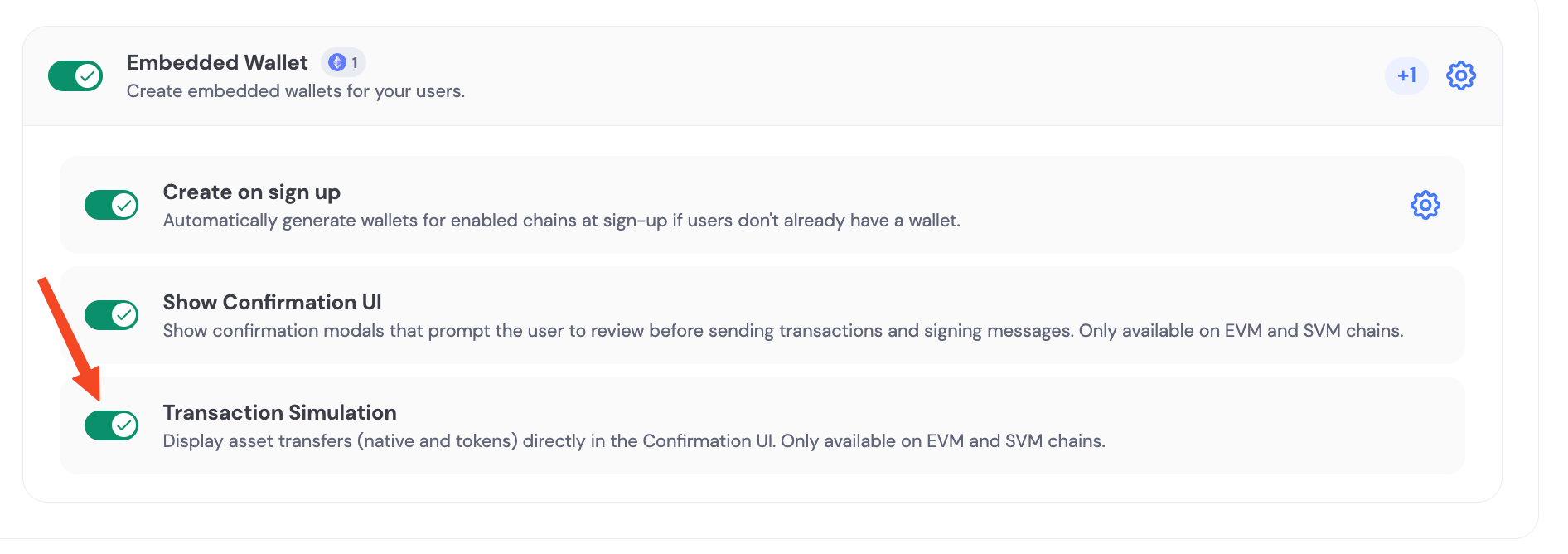
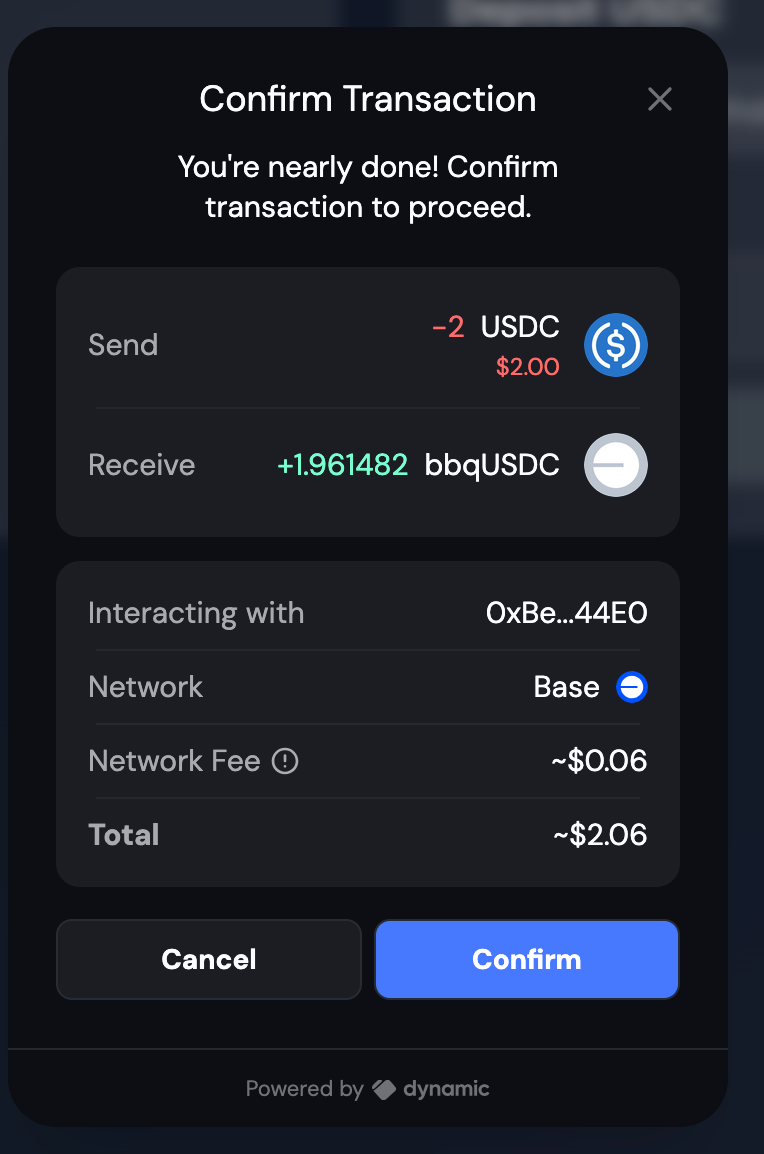
import {
  isProgrammaticNetworkSwitchAvailable,
  switchActiveNetwork,
} from "@dynamic-labs-sdk/client";
import { isEvmWalletAccount } from "@dynamic-labs-sdk/evm";
import { useGetWalletAccounts, useInitStatus } from "@dynamic-labs-sdk/react-hooks";
import {
  executeRoute,
  getChains,
  getRoutes,
  getTokens,
  type Route,
  type Token,
} from "@lifi/sdk";
import { useEffect, useState } from "react";
import { formatUnits, parseUnits } from "viem";

interface SimpleChain {
  id: number;
  name: string;
}

interface SwapState {
  fromChain: SimpleChain | null;
  toChain: SimpleChain | null;
  fromToken: Token | null;
  toToken: Token | null;
  amount: string;
  routes: Route[];
  selectedRoute: Route | null;
  isLoading: boolean;
  error: string | null;
  txHash: string | null;
}

export default function MultiChainSwap() {
  const { data: initStatus } = useInitStatus();
  const sdkHasLoaded = initStatus === "finished";
  const { data: walletAccounts = [] } = useGetWalletAccounts();
  const evmAccount = walletAccounts.find(isEvmWalletAccount) ?? null;
  const isConnected = !!evmAccount;
  const address = evmAccount?.address;
  const isReady = sdkHasLoaded && isConnected && !!address;

  const [swapState, setSwapState] = useState<SwapState>({
    fromChain: null,
    toChain: null,
    fromToken: null,
    toToken: null,
    amount: "0.001",
    routes: [],
    selectedRoute: null,
    isLoading: false,
    error: null,
    txHash: null,
  });

  const [chains, setChains] = useState<SimpleChain[]>([]);
  const [fromTokens, setFromTokens] = useState<Token[]>([]);
  const [toTokens, setToTokens] = useState<Token[]>([]);

  useEffect(() => {
    if (!isReady) return;

    const fetchChains = async () => {
      try {
        const availableChains = await getChains();
        const simpleChains: SimpleChain[] = availableChains.map((chain) => ({
          id: chain.id,
          name: chain.name,
        }));
        setChains(simpleChains);

        if (simpleChains.length >= 2) {
          setSwapState((prev) => ({
            ...prev,
            fromChain: simpleChains[0],
            toChain: simpleChains[1],
          }));
        }
      } catch {
        setSwapState((prev) => ({
          ...prev,
          error: "Failed to fetch available chains",
        }));
      }
    };

    fetchChains();
  }, [isReady]);

  useEffect(() => {
    if (!swapState.fromChain || !swapState.toChain || !isReady) return;

    const fetchTokens = async () => {
      try {
        const fromChainId = swapState.fromChain?.id;
        const toChainId = swapState.toChain?.id;

        if (!fromChainId || !toChainId) return;

        const [fromTokensResponse, toTokensResponse] = await Promise.all([
          getTokens({ chains: [fromChainId] }),
          getTokens({ chains: [toChainId] }),
        ]);

        const fromTokensList = fromTokensResponse.tokens[fromChainId] || [];
        const toTokensList = toTokensResponse.tokens[toChainId] || [];

        setFromTokens(fromTokensList);
        setToTokens(toTokensList);

        if (fromTokensList.length > 0) {
          setSwapState((prev) => ({ ...prev, fromToken: fromTokensList[0] }));
        }
        if (toTokensList.length > 0) {
          setSwapState((prev) => ({ ...prev, toToken: toTokensList[0] }));
        }
      } catch {
        setSwapState((prev) => ({
          ...prev,
          error: "Failed to fetch available tokens",
        }));
      }
    };

    fetchTokens();
  }, [swapState.fromChain, swapState.toChain, isReady]);

  const getRoutesForSwap = async () => {
    if (
      !isReady ||
      !swapState.fromChain ||
      !swapState.toChain ||
      !swapState.fromToken ||
      !swapState.toToken
    ) {
      throw new Error("Not ready");
    }

    try {
      const amountInWei = parseUnits(
        swapState.amount,
        swapState.fromToken.decimals
      );

      const routes = await getRoutes({
        fromChainId: swapState.fromChain.id,
        toChainId: swapState.toChain.id,
        fromTokenAddress: swapState.fromToken.address,
        toTokenAddress: swapState.toToken.address,
        fromAmount: amountInWei.toString(),
        fromAddress: address!,
        toAddress: address!,
        options: {
          order: "CHEAPEST",
          maxPriceImpact: 0.3,
          slippage: 0.005,
          fee: 0.01, // 1% fee
        },
      });

      return routes;
    } catch (error) {
      throw error;
    }
  };

  const handleGetRoutes = async () => {
    if (!isFormValid) {
      setSwapState((prev) => ({
        ...prev,
        error: "Please fill in all required fields and connect wallet",
      }));
      return;
    }

    setSwapState((prev) => ({
      ...prev,
      isLoading: true,
      error: null,
      routes: [],
      selectedRoute: null,
    }));

    try {
      const routesResult = await getRoutesForSwap();
      const availableRoutes = routesResult.routes || [];

      setSwapState((prev) => ({
        ...prev,
        routes: availableRoutes,
        selectedRoute: availableRoutes[0] || null,
        isLoading: false,
        error: availableRoutes.length === 0 ? "No routes found" : null,
      }));
    } catch (error) {
      setSwapState((prev) => ({
        ...prev,
        error: error instanceof Error ? error.message : "Failed to get routes",
        isLoading: false,
      }));
    }
  };

  const handleExecuteSwap = async () => {
    if (!swapState.selectedRoute || !isConnected) {
      setSwapState((prev) => ({
        ...prev,
        error: "No route selected or wallet not connected",
      }));
      return;
    }

    setSwapState((prev) => ({
      ...prev,
      isLoading: true,
      error: null,
      txHash: null,
    }));

    try {
      const result = await executeRoute(swapState.selectedRoute, {
        updateRouteHook: (updatedRoute) => {
          console.log("Route updated:", updatedRoute);
        },
        updateTransactionRequestHook: async (txRequest) => {
          return txRequest;
        },
        acceptExchangeRateUpdateHook: async (params) => {
          const accepted = window.confirm(
            `Exchange rate has changed!\nOld amount: ${formatUnits(
              BigInt(params.oldToAmount),
              params.toToken.decimals
            )} ${params.toToken.symbol}\nNew amount: ${formatUnits(
              BigInt(params.newToAmount),
              params.toToken.decimals
            )} ${params.toToken.symbol}\n\nDo you want to continue?`
          );
          return accepted;
        },
        switchChainHook: async (chainId) => {
          try {
            if (
              evmAccount &&
              isProgrammaticNetworkSwitchAvailable({ walletAccount: evmAccount })
            ) {
              await switchActiveNetwork({
                walletAccount: evmAccount,
                networkId: String(chainId),
              });
            }
            return undefined;
          } catch (error) {
            throw error;
          }
        },
        executeInBackground: false,
        disableMessageSigning: false,
      });

      setSwapState((prev) => ({
        ...prev,
        isLoading: false,
        txHash: "Transaction executed successfully",
      }));
    } catch (error) {
      setSwapState((prev) => ({
        ...prev,
        error:
          error instanceof Error ? error.message : "Failed to execute swap",
        isLoading: false,
      }));
    }
  };

  const isFormValid = !!(
    swapState.fromChain &&
    swapState.toChain &&
    swapState.fromToken &&
    swapState.toToken &&
    swapState.amount &&
    isConnected
  );

  if (!isReady) {
    return (
      <div className="min-h-screen bg-gradient-to-br from-gray-50 to-blue-50 p-6">
        <div className="max-w-6xl mx-auto">
          <div className="text-center py-20">
            <div className="w-16 h-16 bg-blue-500 rounded-full flex items-center justify-center mx-auto mb-4">
              <div className="w-8 h-8 border-2 border-white border-t-transparent rounded-full animate-spin"></div>
            </div>
            <p className="text-xl text-gray-600">
              Loading wallet connection...
            </p>
          </div>
        </div>
      </div>
    );
  }

  if (!isConnected) {
    return (
      <div className="min-h-screen bg-gradient-to-br from-gray-50 to-blue-50 p-6">
        <div className="max-w-6xl mx-auto">
          <div className="text-center py-20">
            <h2 className="text-2xl font-bold text-gray-900 mb-4">
              Connect Your Wallet
            </h2>
            <p className="text-gray-600 mb-8 max-w-md mx-auto">
              Please connect your wallet to use the multi-chain swap feature.
            </p>
          </div>
        </div>
      </div>
    );
  }

  return (
    <div className="max-w-4xl mx-auto p-6 space-y-6">
      <h1 className="text-3xl font-bold text-center mb-8">Cross-Chain Swap</h1>

      <div className="bg-white p-6 rounded-lg shadow-md space-y-4">
        <div className="grid grid-cols-1 md:grid-cols-2 gap-4">
          <div>
            <label className="block text-sm font-medium text-gray-700 mb-2">
              From Chain
            </label>
            <select
              value={swapState.fromChain?.id || ""}
              onChange={(e) => {
                const chain = chains.find(
                  (c) => c.id === Number(e.target.value)
                );
                setSwapState((prev) => ({
                  ...prev,
                  fromChain: chain || null,
                  fromToken: null,
                }));
              }}
              className="w-full p-2 border border-gray-300 rounded"
            >
              <option value="">Select chain</option>
              {chains.map((chain) => (
                <option key={chain.id} value={chain.id}>
                  {chain.name}
                </option>
              ))}
            </select>
          </div>

          <div>
            <label className="block text-sm font-medium text-gray-700 mb-2">
              To Chain
            </label>
            <select
              value={swapState.toChain?.id || ""}
              onChange={(e) => {
                const chain = chains.find(
                  (c) => c.id === Number(e.target.value)
                );
                setSwapState((prev) => ({
                  ...prev,
                  toChain: chain || null,
                  toToken: null,
                }));
              }}
              className="w-full p-2 border border-gray-300 rounded"
            >
              <option value="">Select chain</option>
              {chains.map((chain) => (
                <option key={chain.id} value={chain.id}>
                  {chain.name}
                </option>
              ))}
            </select>
          </div>
        </div>

        <div className="grid grid-cols-1 md:grid-cols-2 gap-4">
          <div>
            <label className="block text-sm font-medium text-gray-700 mb-2">
              From Token
            </label>
            <select
              value={swapState.fromToken?.address || ""}
              onChange={(e) => {
                const token = fromTokens.find(
                  (t) => t.address === e.target.value
                );
                setSwapState((prev) => ({ ...prev, fromToken: token || null }));
              }}
              className="w-full p-2 border border-gray-300 rounded"
            >
              <option value="">Select token</option>
              {fromTokens.map((token) => (
                <option key={token.address} value={token.address}>
                  {token.symbol} - {token.name}
                </option>
              ))}
            </select>
          </div>

          <div>
            <label className="block text-sm font-medium text-gray-700 mb-2">
              To Token
            </label>
            <select
              value={swapState.toToken?.address || ""}
              onChange={(e) => {
                const token = toTokens.find(
                  (t) => t.address === e.target.value
                );
                setSwapState((prev) => ({ ...prev, toToken: token || null }));
              }}
              className="w-full p-2 border border-gray-300 rounded"
            >
              <option value="">Select token</option>
              {toTokens.map((token) => (
                <option key={token.address} value={token.address}>
                  {token.symbol} - {token.name}
                </option>
              ))}
            </select>
          </div>
        </div>

        <div>
          <label className="block text-sm font-medium text-gray-700 mb-2">
            Amount
          </label>
          <input
            type="number"
            value={swapState.amount}
            onChange={(e) =>
              setSwapState((prev) => ({ ...prev, amount: e.target.value }))
            }
            placeholder="Enter amount"
            className="w-full p-2 border border-gray-300 rounded"
          />
        </div>

        <div className="flex gap-4">
          <button
            onClick={handleGetRoutes}
            disabled={!isFormValid || swapState.isLoading}
            className="flex-1 bg-blue-600 hover:bg-blue-700 disabled:bg-gray-400 text-white py-2 px-4 rounded"
          >
            {swapState.isLoading ? "Loading..." : "Find Routes"}
          </button>

          {swapState.routes.length > 0 && (
            <button
              onClick={handleExecuteSwap}
              disabled={!swapState.selectedRoute || swapState.isLoading}
              className="flex-1 bg-green-600 hover:bg-green-700 disabled:bg-gray-400 text-white py-2 px-4 rounded"
            >
              Execute Swap
            </button>
          )}
        </div>
      </div>

      {swapState.error && (
        <div className="bg-red-50 border border-red-200 text-red-700 px-4 py-3 rounded">
          {swapState.error}
        </div>
      )}

      {swapState.txHash && (
        <div className="bg-green-50 border border-green-200 text-green-700 px-4 py-3 rounded">
          {swapState.txHash}
        </div>
      )}

      {swapState.routes.length > 0 && (
        <div className="bg-white p-6 rounded-lg shadow-md">
          <h3 className="text-lg font-semibold mb-4">Available Routes</h3>
          <div className="space-y-3">
            {swapState.routes.map((route, index) => (
              <div
                key={index}
                className={`p-3 border rounded cursor-pointer ${
                  swapState.selectedRoute === route
                    ? "border-blue-500 bg-blue-50"
                    : "border-gray-200 hover:border-gray-300"
                }`}
                onClick={() =>
                  setSwapState((prev) => ({ ...prev, selectedRoute: route }))
                }
              >
                <div className="flex justify-between items-center">
                  <span className="font-medium">
                    Route {index + 1} - {route.steps.length} steps
                  </span>
                  <span className="text-sm text-gray-600">
                    {route.toAmount
                      ? `${formatUnits(
                          BigInt(route.toAmount),
                          swapState.toToken?.decimals || 18
                        )} ${swapState.toToken?.symbol}`
                      : "Calculating..."}
                  </span>
                </div>
                <div className="text-sm text-gray-500 mt-1">
                  Estimated time: {route.estimatedTime}s
                </div>
              </div>
            ))}
          </div>
        </div>
      )}
    </div>
  );
}