

Recommended: JavaScript SDK with React Hooks
For new React apps, we recommend the JavaScript SDK with React Hooks (
@dynamic-labs-sdk/react-hooks) instead of the legacy React SDK documented here. The JS SDK comes with many benefits such as a much smaller bundle size and other optimizations. Use the React quickstart (JavaScript SDK) to get started.Overview
Displaying your Terms of Service and Privacy Policy is an important step in customer onboarding. We give you the flexibility to display these documents in our SDK, or you can hide the links and display them elsewhere on your site.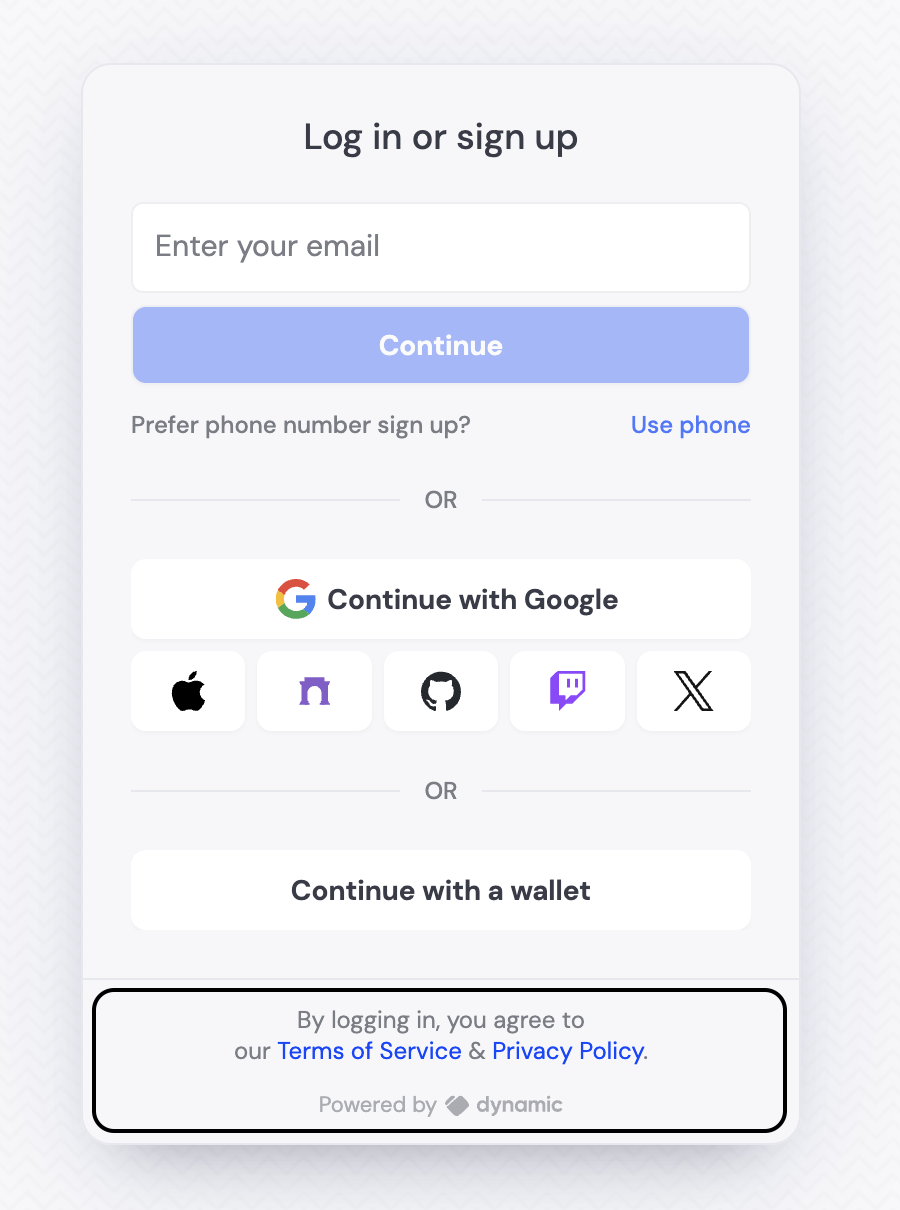
Configure policy URLs
privacyPolicyUrl (optional) & termsOfServiceUrl (optional)
We currently display the Terms of Service and Privacy Policy during the connecting step of the SDK. If you want to update the links, you can do so by updating the props in settings:Hiding the Terms of Service and Privacy Policy copy
If you don’t want to display this text, you can hide the sentence with:Custom inline policy content
For even more flexibility, you can provide custom content for your Terms of Service and Privacy Policy directly inline using thecustomPrivacyPolicy and customTermsOfService props. This allows you to embed the full policy content within your app instead of linking to external pages.
Display as a checkbox
As an alternative to displaying the Terms of Service and Privacy Policy as a sentence, you can display a checkbox that the user must check to proceed. To enable this feature:- Go to your Dynamic developer console
- Navigate to the login methods section under information capture
- Turn on “TOS and Privacy Policy”