

Standard Recovery Flow
Dynamic’s embedded wallets use a 2-of-2 threshold signature scheme where one User Share is held by the user on their device and a Dynamic Server Share is held by Dynamic. For basic recovery scenarios, when a user logs in on a new device:- The user authenticates with their credentials
- Dynamic provides their encrypted copy of the User Share
- The share is decrypted through the Encryption Proxy Service (Dynamic does not have access to encryption/decryption keys)
- The decrypted share is stored on the new device
- The wallet is ready for use immediately
Enhanced Security with Passcode Protection
For additional security, users can opt to protect their stored User Share with Passcode Encryption:- The stored User Share is encrypted with the user’s passcode
- When recovering on a new device, users must enter their passcode to decrypt the share
- Without the correct passcode, the stored share cannot be accessed
- This provides an extra layer of security but requires users to remember their passcode
Cloud Backup Recovery (2-of-3 Setup)
Users can enable additional recovery options through User Share Backup Options, storing their User Share to Google Drive, Apple iCloud, or downloading it locally.Google Drive backup setup
Learn how to configure Google Drive as a backup option, including enabling the API and understanding the required OAuth scopes.
iCloud backup setup
Learn how to configure iCloud as a backup option, including iframe requirements and authentication flow.
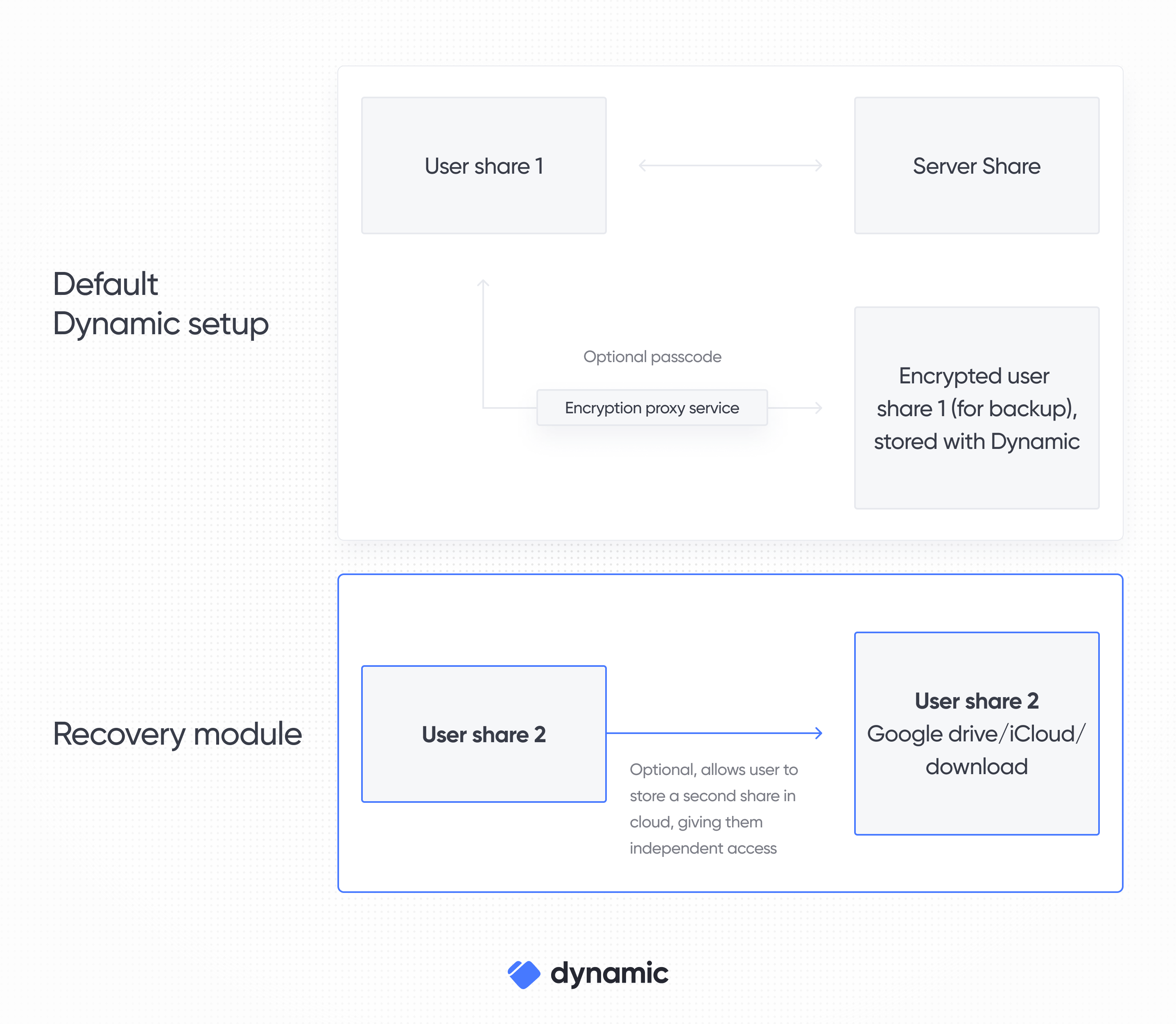
- The system automatically upgrades to a 2-of-3 threshold scheme through Key Resharing
- The user maintains their local User Share
- A copy of the User Share is stored using their chosen backup option
- Dynamic continues to secure the Dynamic Server Share
- Using the stored User Share from backup + Dynamic Server Share
- Using the local User Share + Dynamic Server Share
- Using the local User Share + stored User Share from backup (Independent Recovery)
We also offer additional more sophisticated recovery configurations including custom threshold schemes and Developer-Hosted Backups, see our Advanced Features documentation.